Anivo
Sign inCreate account
All screenshots

Anivo · Email campaigns

See the screens for selecting recipients, editing personalized drafts and checking a campaign’s status.

Screenshots come from the Anivo Windows demo workspace. Archived captures show an earlier interface with fictional records.

AI researchLead resultsCRM and sales pipelineEmail campaignsInbox and follow-upsWindows workspaceTürkçe

Screenshots

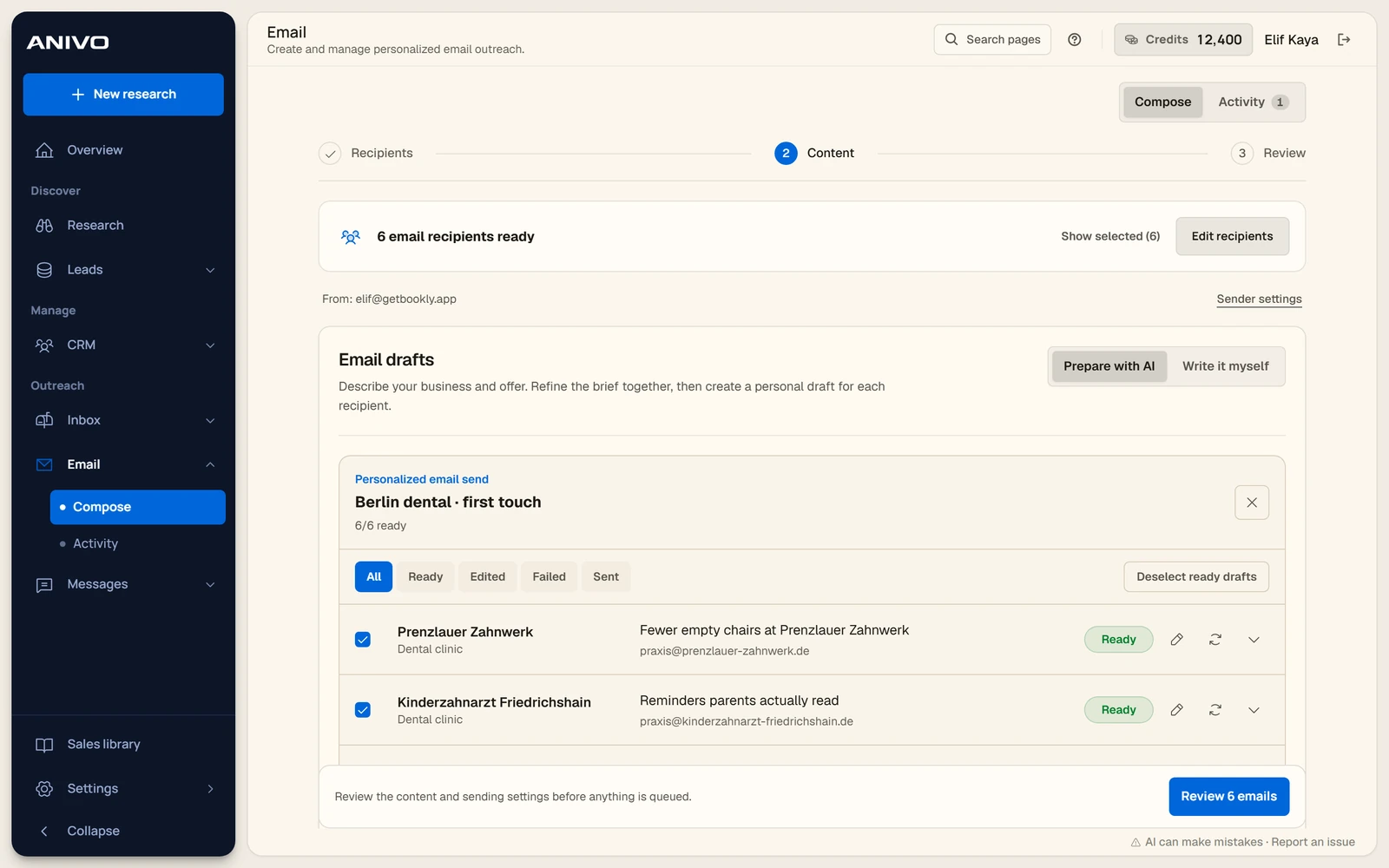
The campaign composer with selected recipients and draft options.
Email campaign setupThe campaign composer with selected recipients and draft options.18 October 2026 · Archive
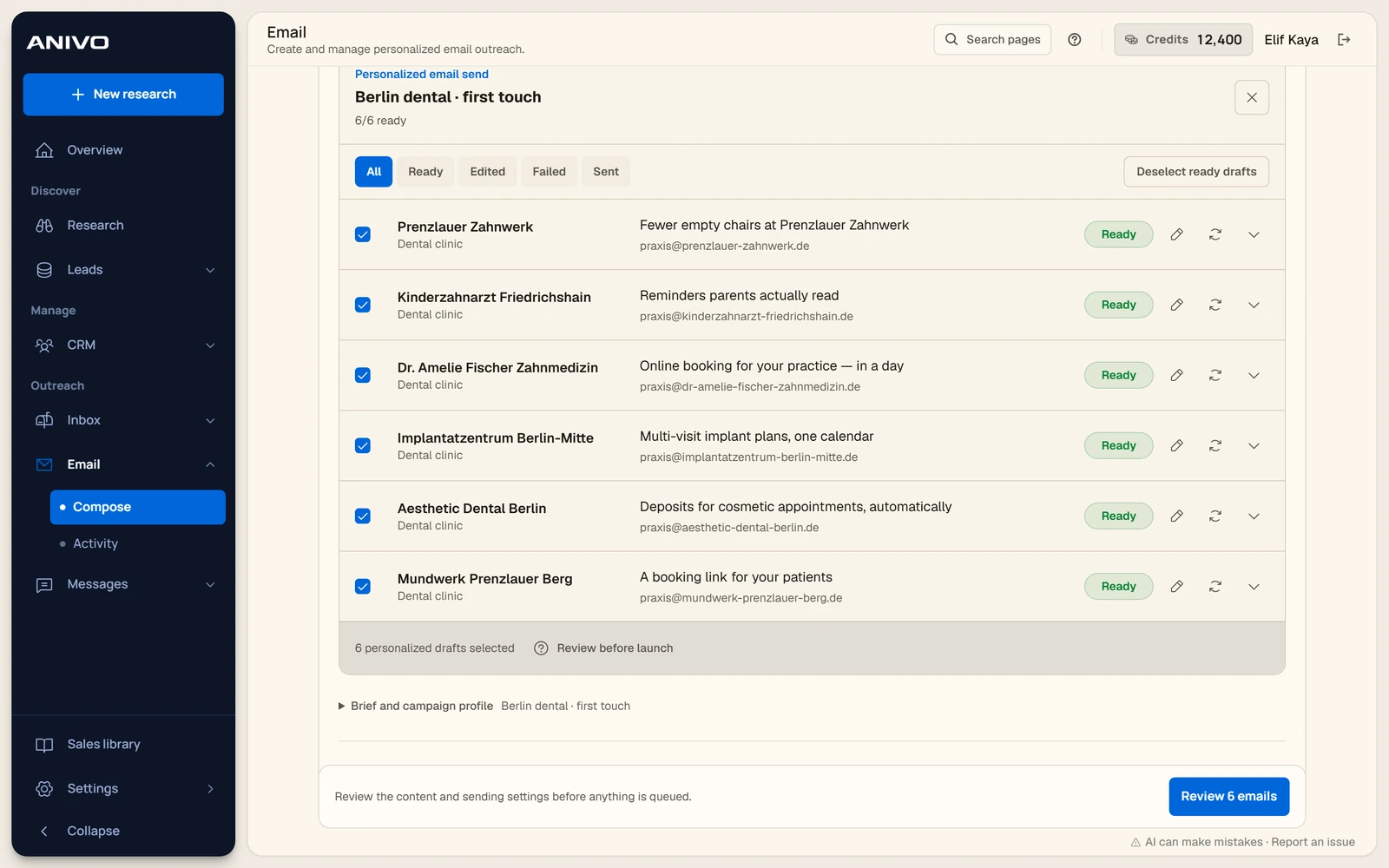
A list of unsent demo drafts with subjects and review controls for each recipient.
Personalized email draftsA list of unsent demo drafts with subjects and review controls for each recipient.18 October 2026 · Archive
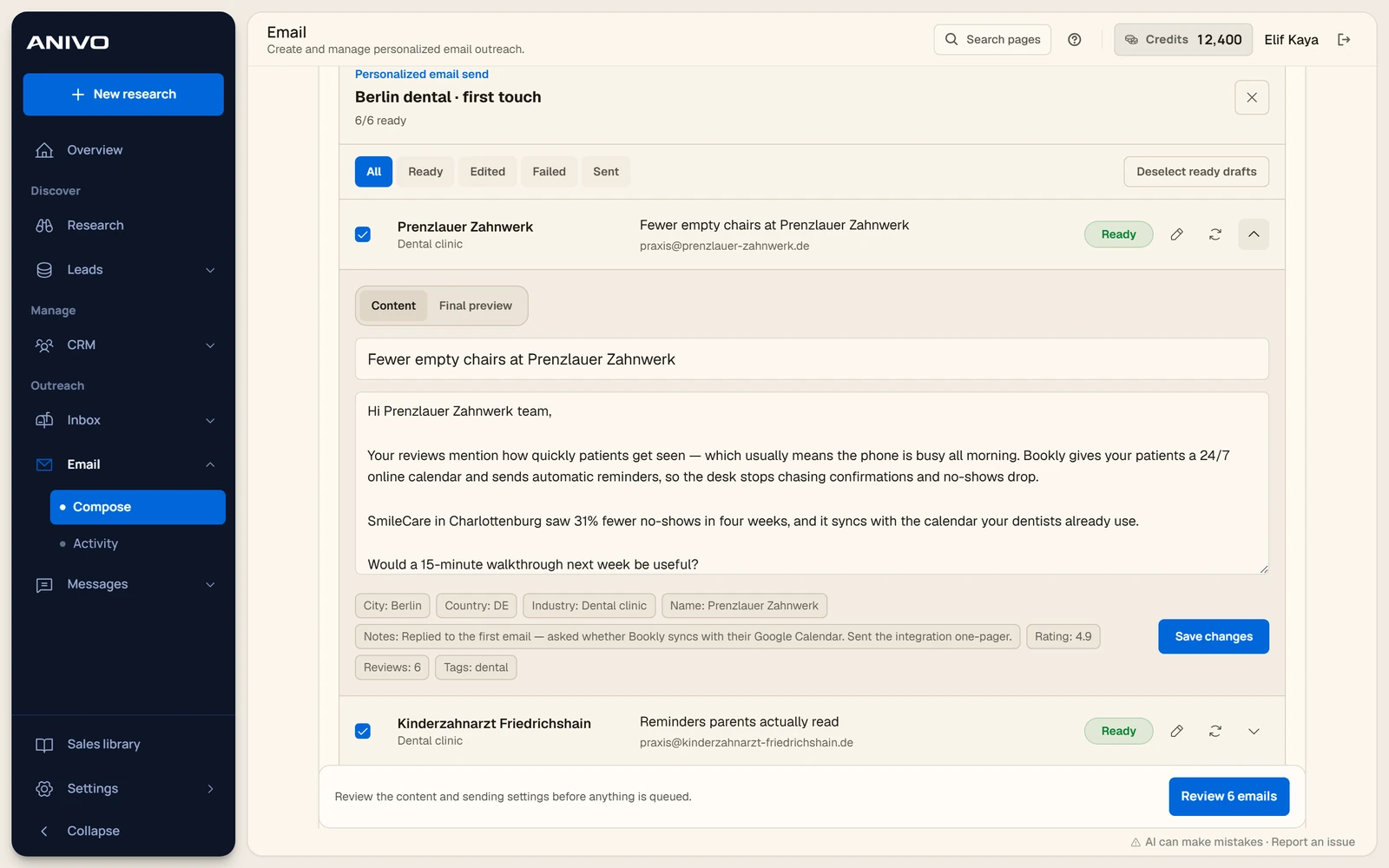
An open, unsent demo draft showing the subject, message and company context.
Email draft editorAn open, unsent demo draft showing the subject, message and company context.18 October 2026 · Archive
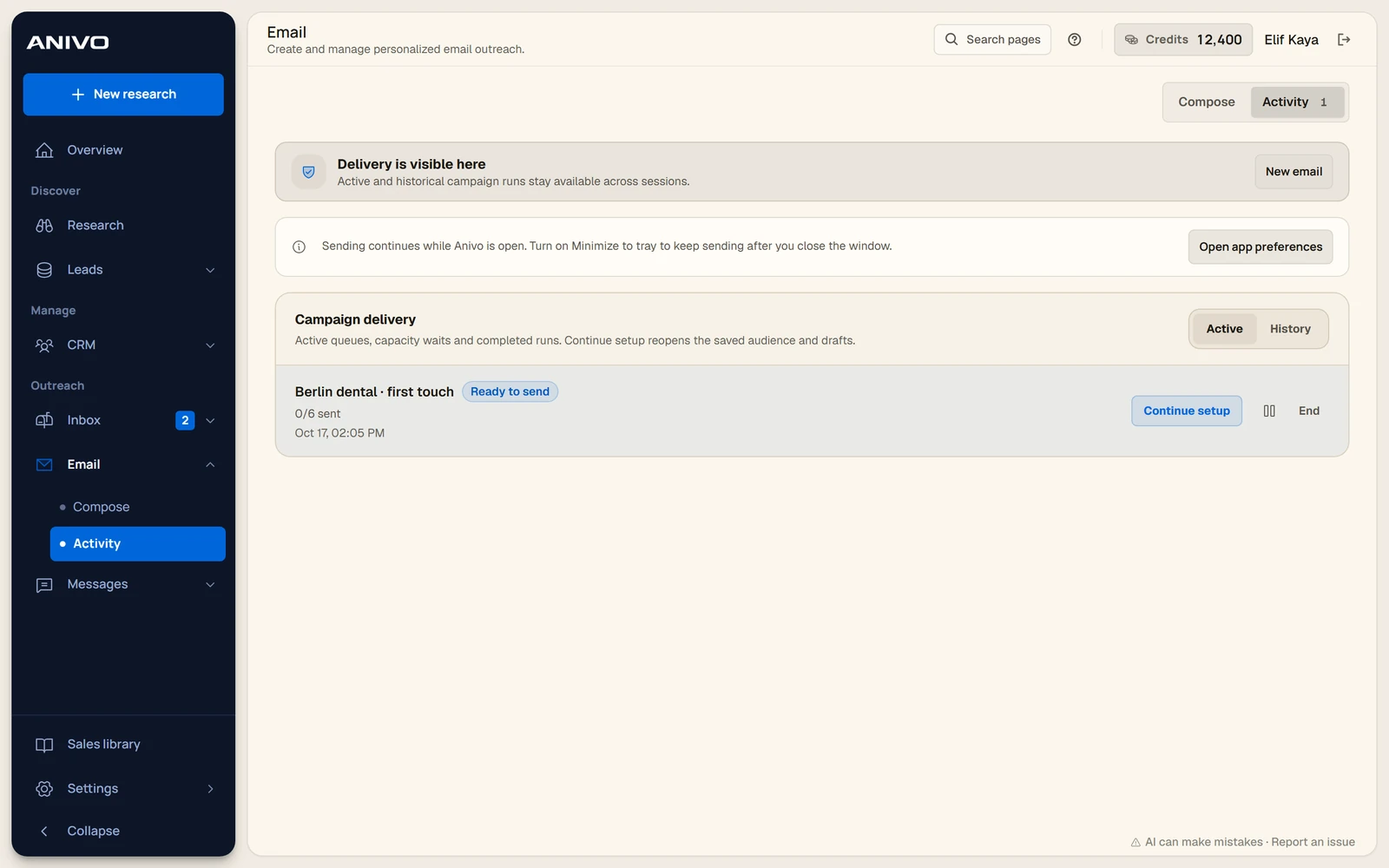
The activity view with a sample campaign waiting for review and sending.
Campaign activityThe activity view with a sample campaign waiting for review and sending.18 October 2026 · Archive
Anivo user guide
Anivo

Find businesses. Understand the opportunity. Reach out.

Anivo

  • Product
  • Who it’s for
  • Pricing
  • Founder
  • Support

Product guides

  • How Anivo works
  • Anivo user guide
  • Technical assessment
  • Company scores
  • Screenshot gallery

Sales guides

  • How to find customers
  • Ideal customer profile guide
  • B2B prospecting software
  • Lead generation agency guide
Anivo Technologies LtdRegistered in England and Wales · Company No. 16712009Registered office: 71–75 Shelton Street, Covent Garden, London, WC2H 9JQ
TermsPrivacyBillingRefundsAcceptable use© 2026 Anivo