Anivo
Sign inCreate account
Anivo for Windows

Anivo screenshot gallery

Explore Anivo for Windows through screenshots of B2B research, lead results, CRM, email campaigns and the inbox.

Screenshots come from the Anivo Windows demo workspace. Archived captures show an earlier interface with fictional records.

AI researchLead resultsCRM and sales pipelineEmail campaignsInbox and follow-upsWindows workspaceTürkçe

AI research

Follow a sample market brief from the Anivo Agent’s research plan to the completed search.

Open collection
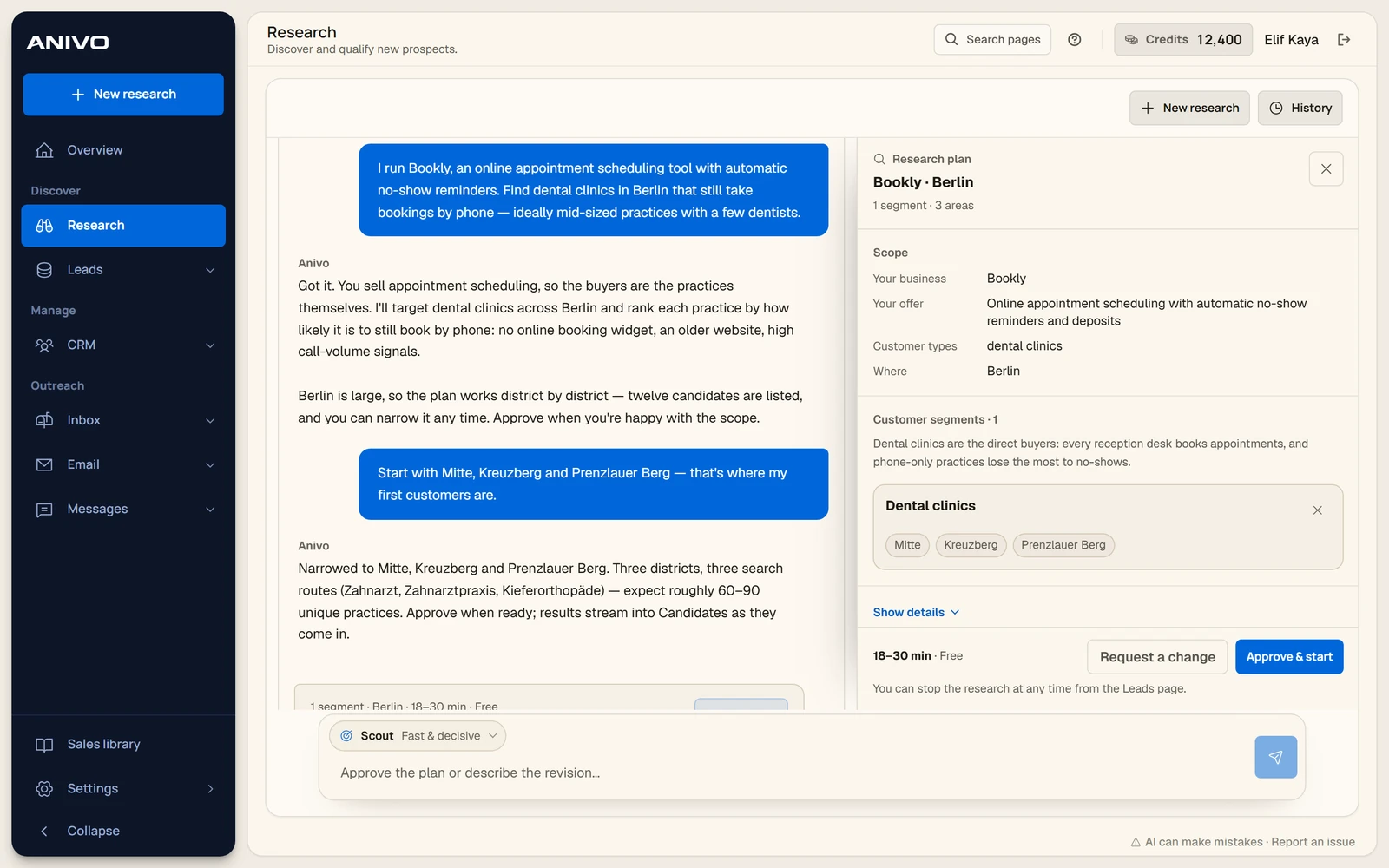
The Anivo Agent conversation and the proposed target segments and locations.
Research planThe Anivo Agent conversation and the proposed target segments and locations.18 October 2026 · Archive
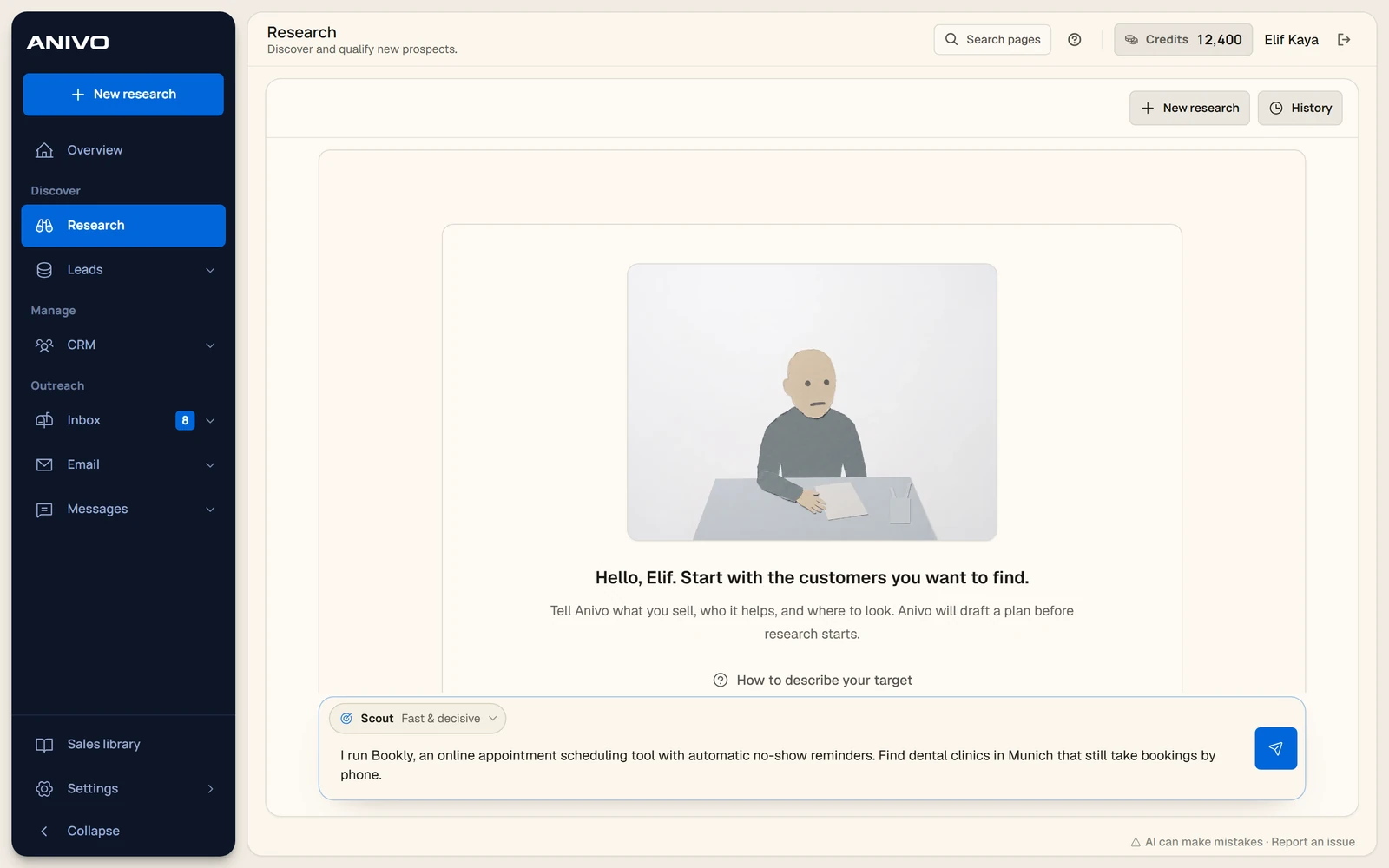
A sample research request naming the offer, target businesses and city.
Market briefA sample research request naming the offer, target businesses and city.18 October 2026 · Archive
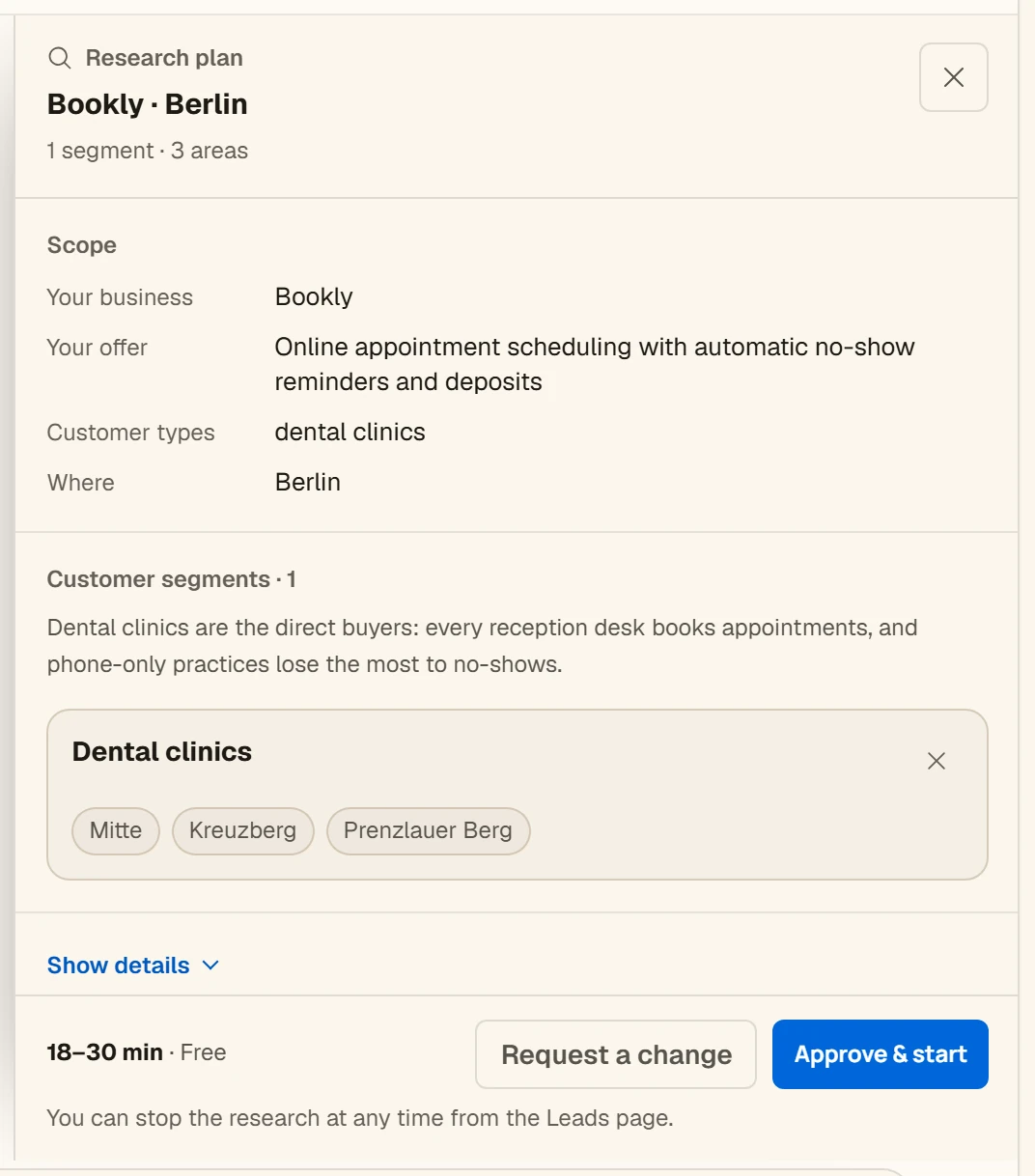
A close-up of the target segment, selected districts and plan approval controls.
Research scopeA close-up of the target segment, selected districts and plan approval controls.18 October 2026 · Archive
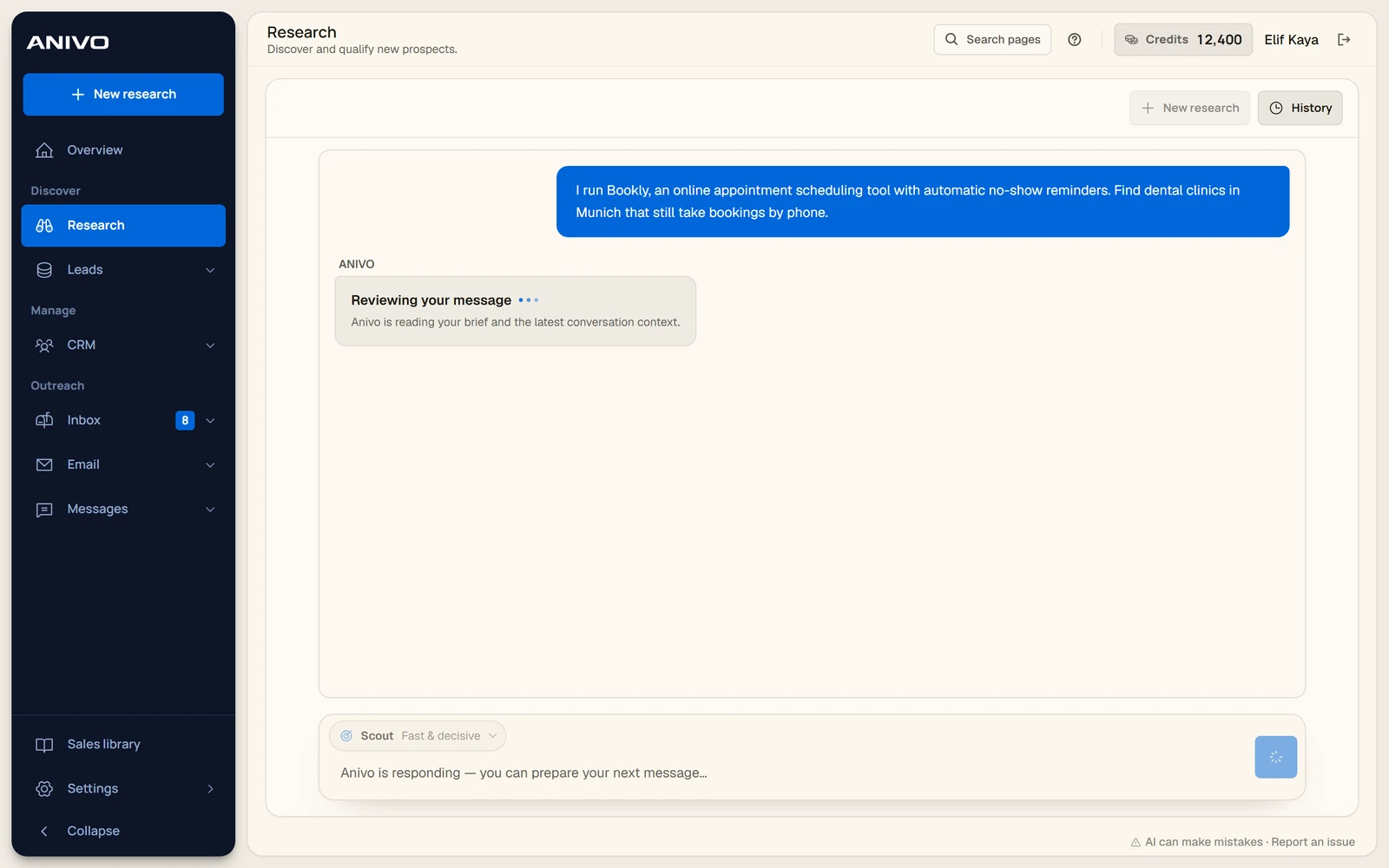
The Agent reviewing a market brief before preparing a response.
Brief under reviewThe Agent reviewing a market brief before preparing a response.18 October 2026 · Archive
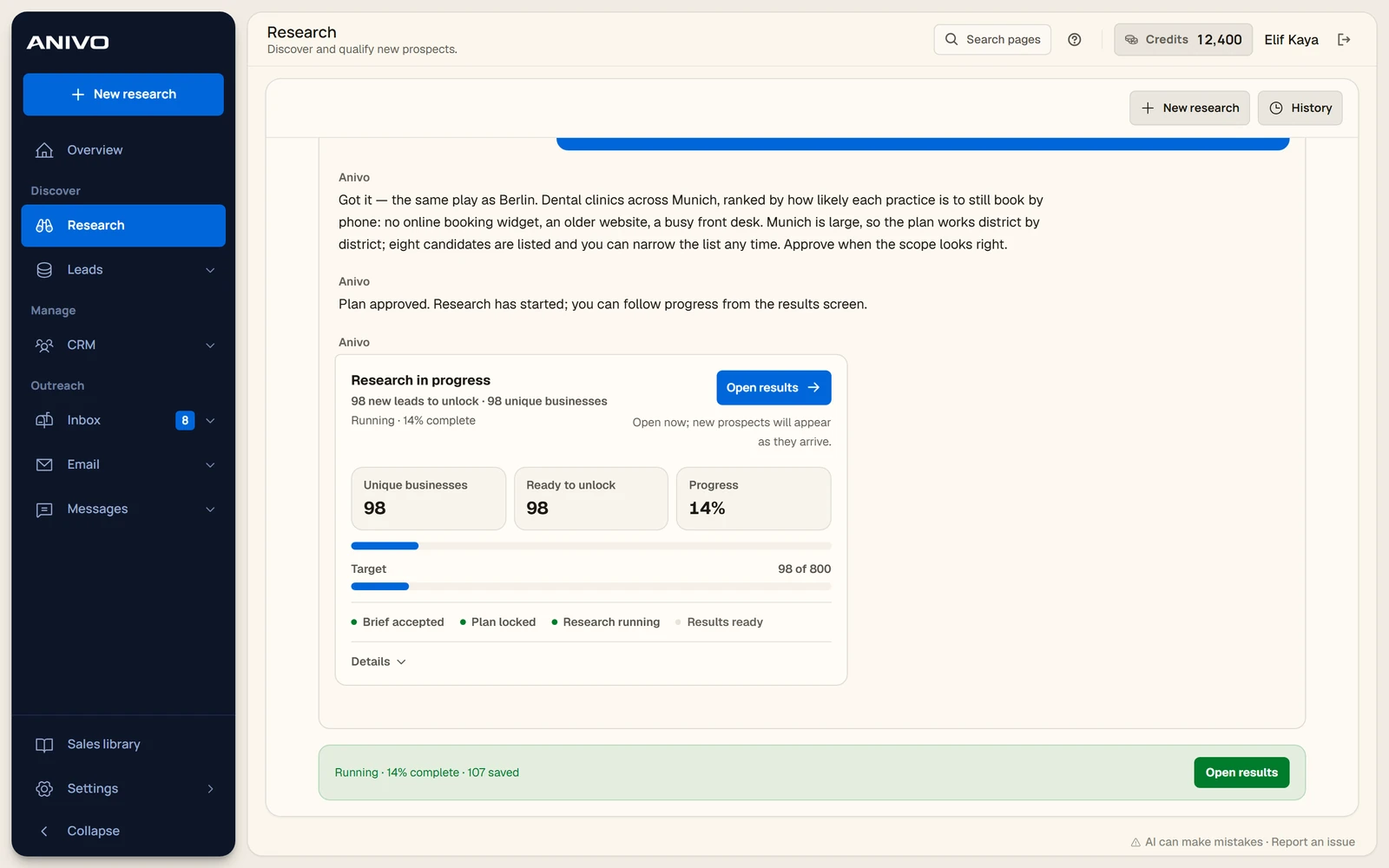
A demo search showing the progress bar and businesses found so far.
Research in progressA demo search showing the progress bar and businesses found so far.18 October 2026 · Archive
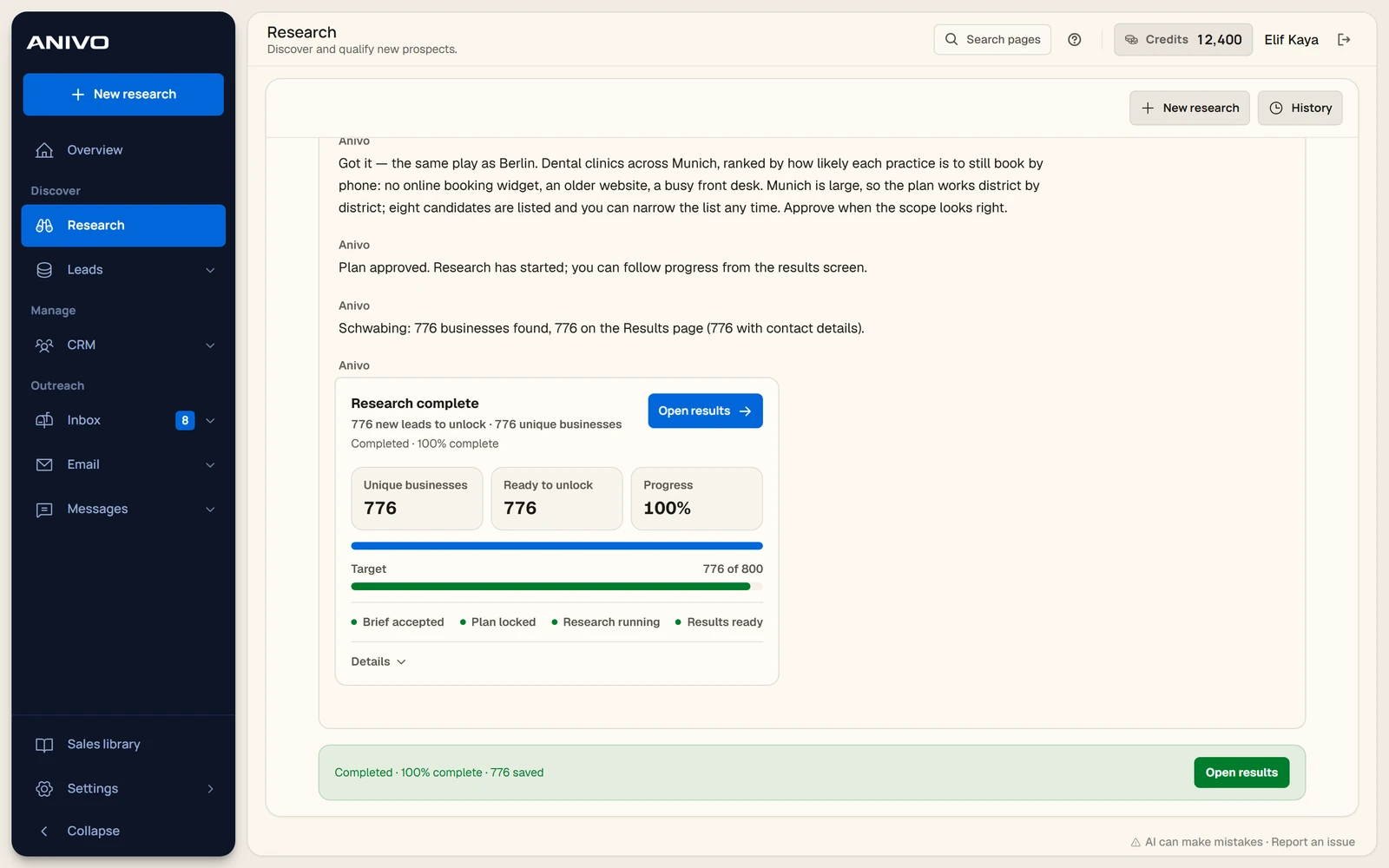
A completed demo search with a summary and a link to open the results.
Completed researchA completed demo search with a summary and a link to open the results.18 October 2026 · Archive
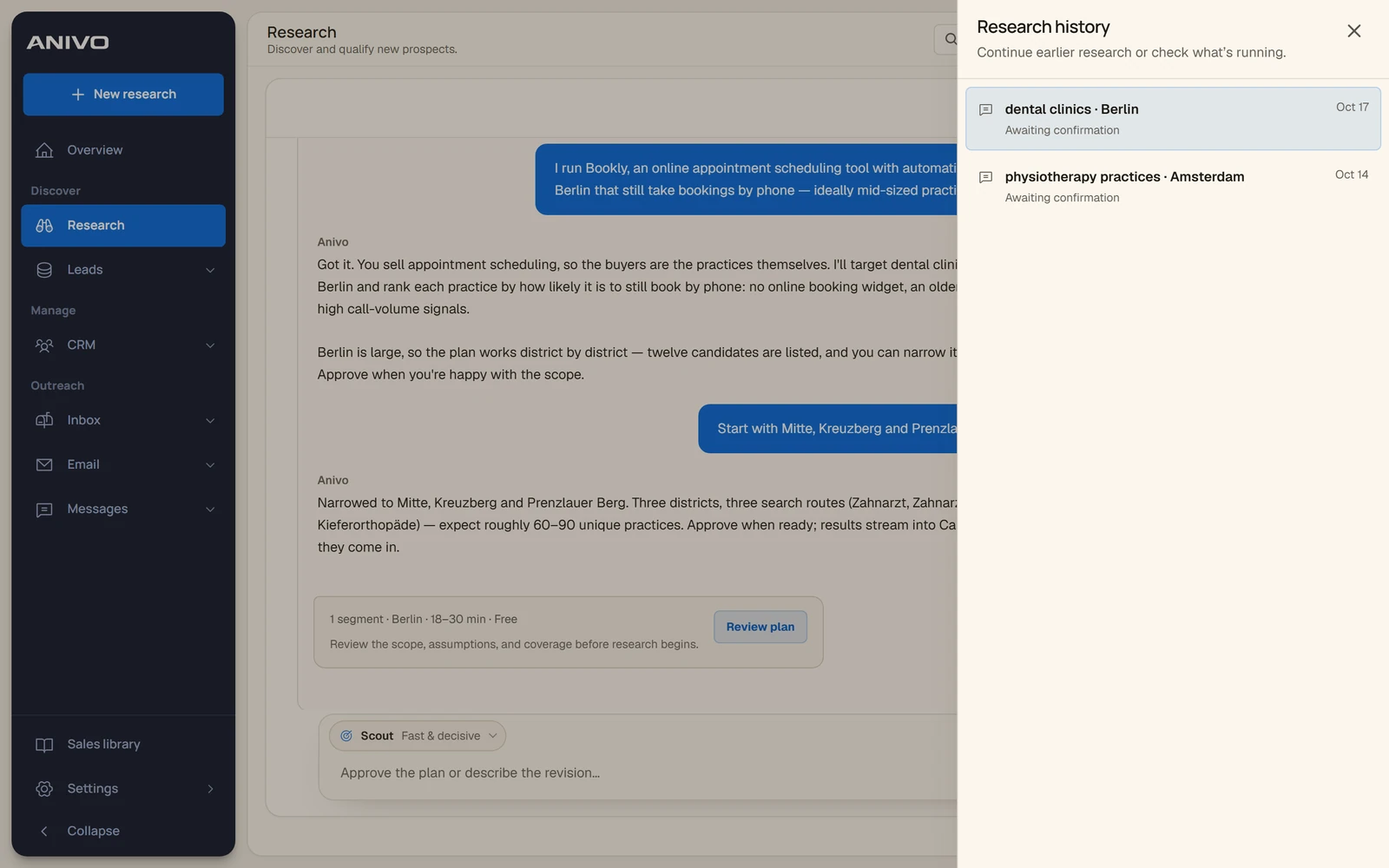
The research history panel with saved conversations and their status.
Research conversationsThe research history panel with saved conversations and their status.18 October 2026 · Archive

Lead results

Compare the table and card views, narrow the list with filters and open a company’s details.

Open collection
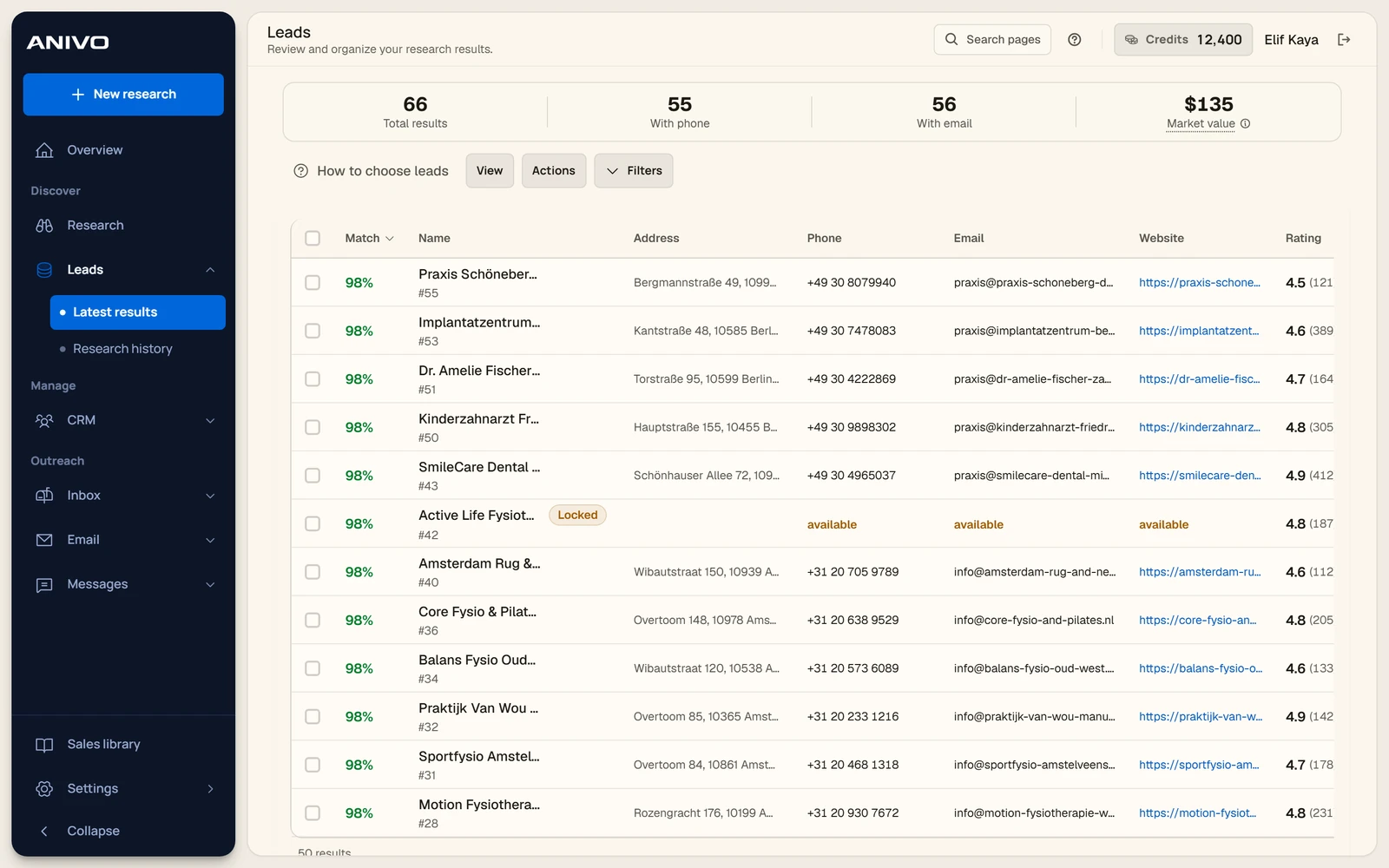
The table view for comparing sample businesses and match scores.
Lead results tableThe table view for comparing sample businesses and match scores.18 October 2026 · Archive
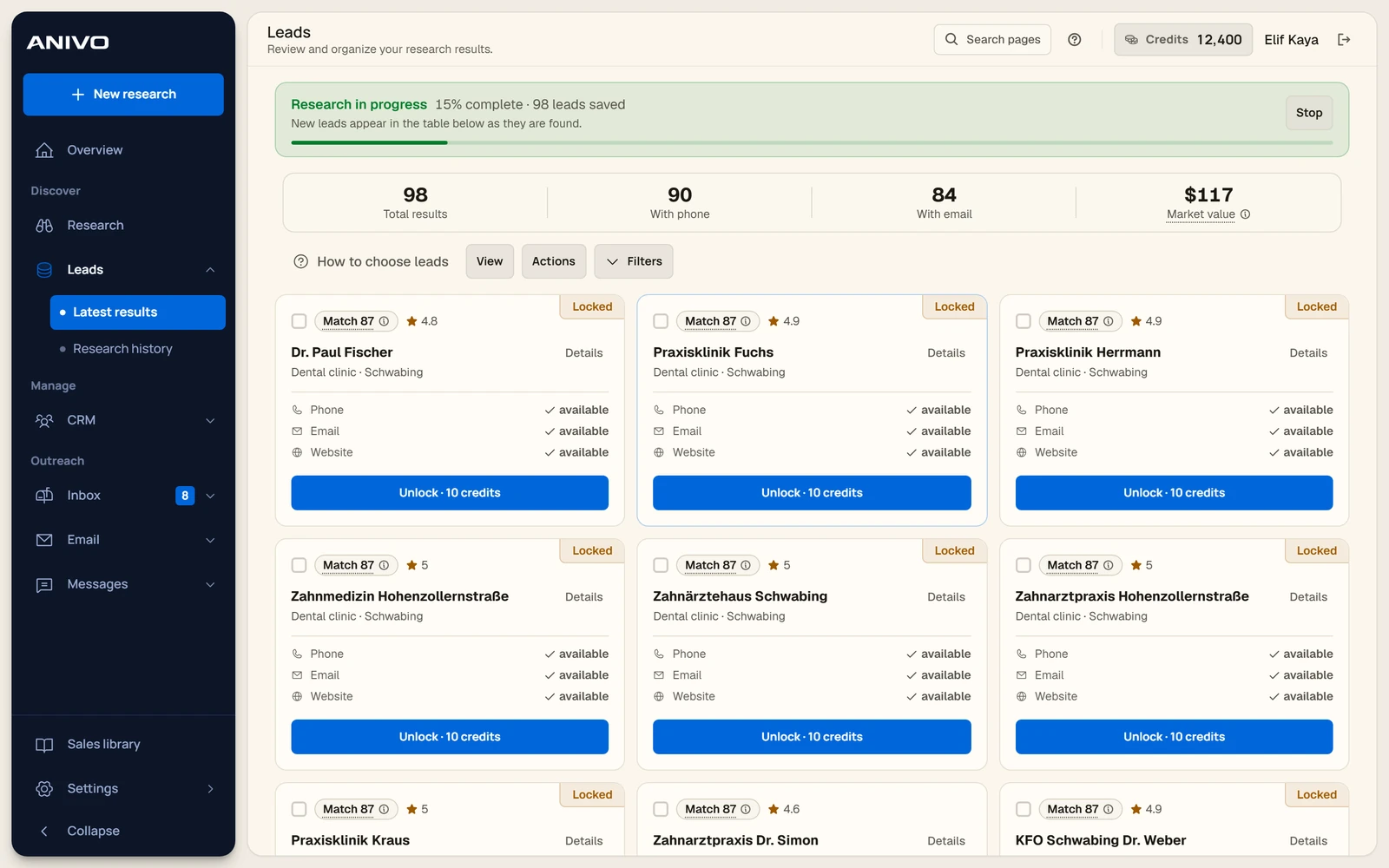
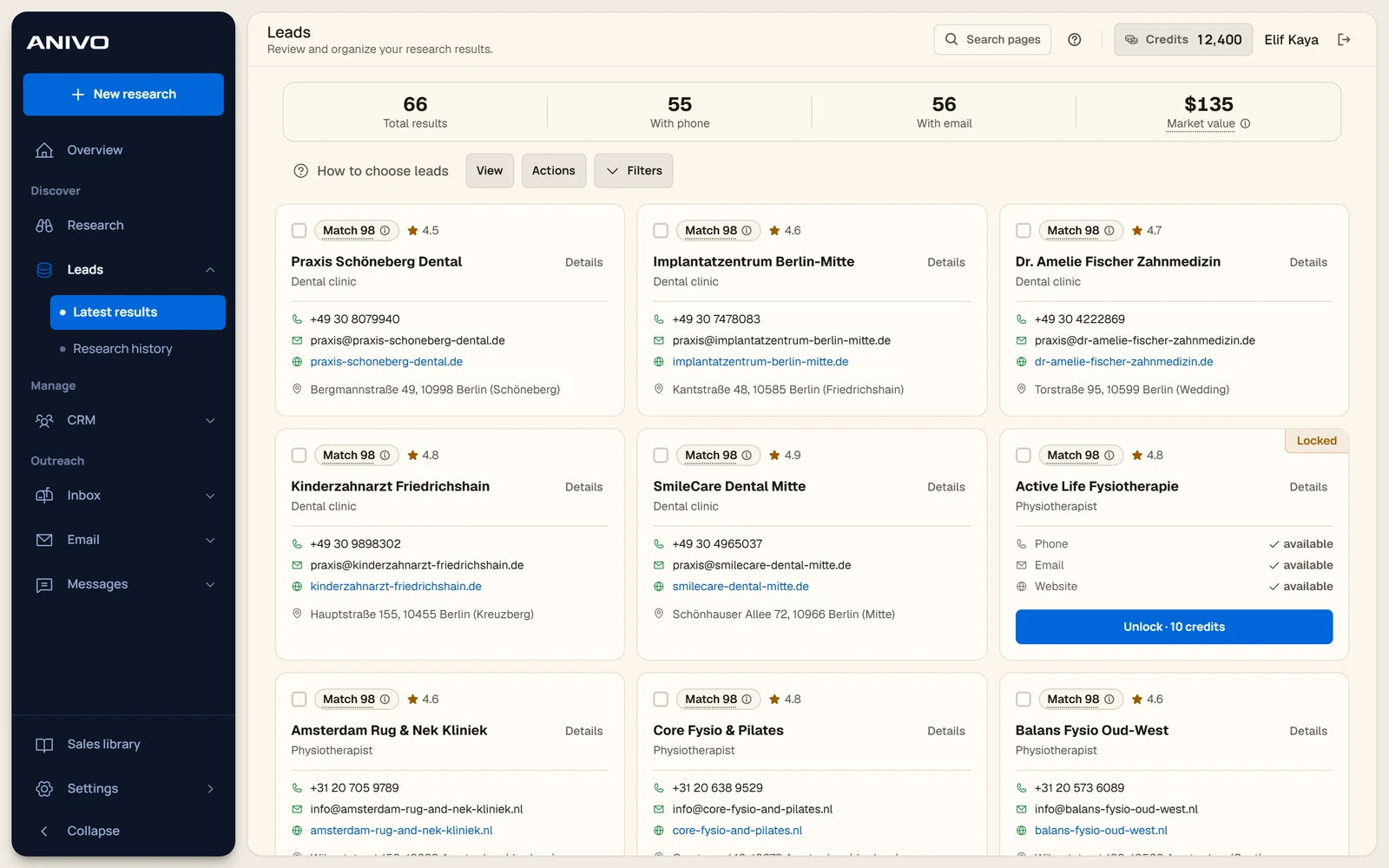
A grid of sample businesses with match badges and contact availability.
Lead cardsA grid of sample businesses with match badges and contact availability.18 October 2026 · Archive
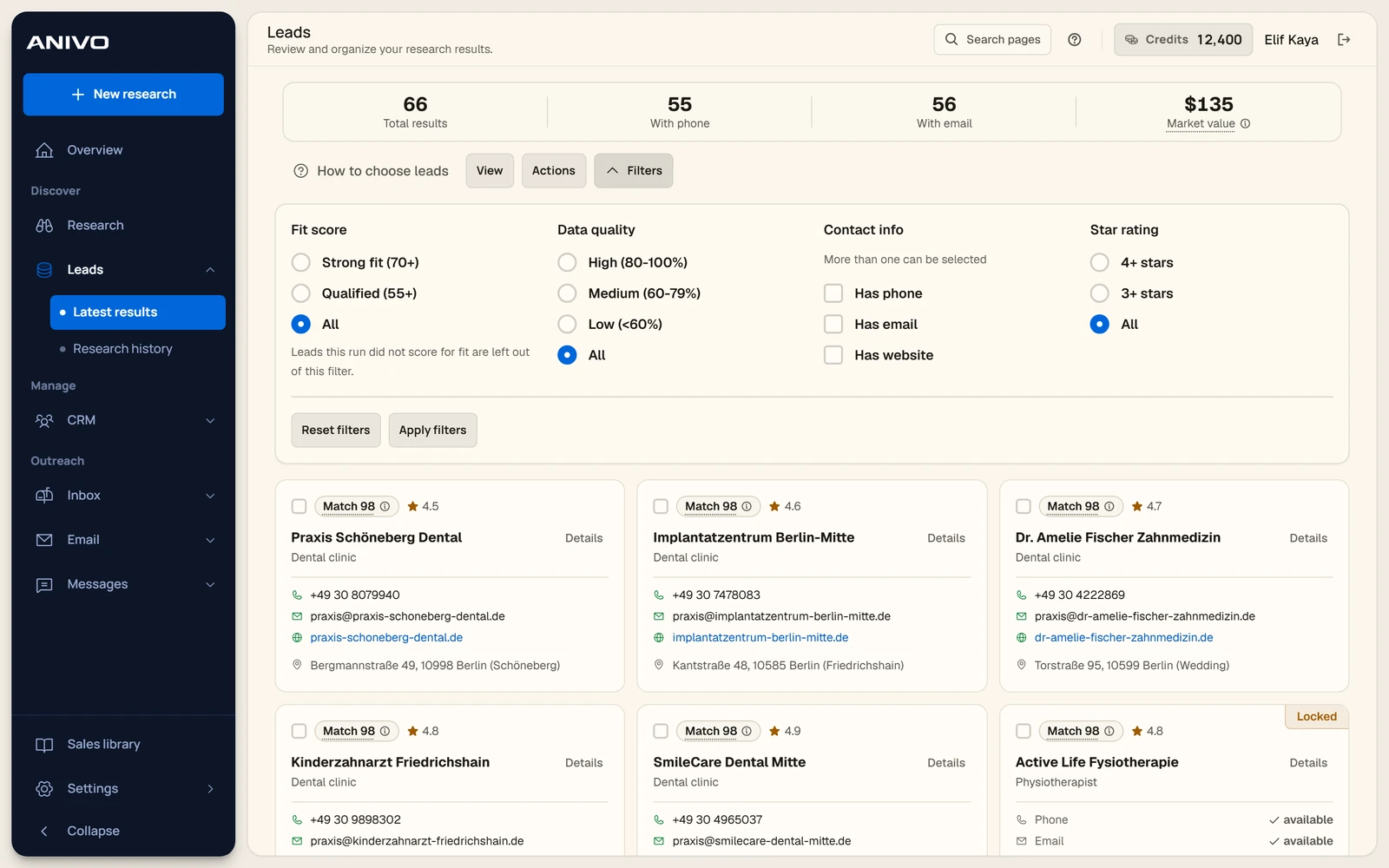
The filters for fit, data quality, contact availability and ratings.
Lead filtersThe filters for fit, data quality, contact availability and ratings.18 October 2026 · Archive
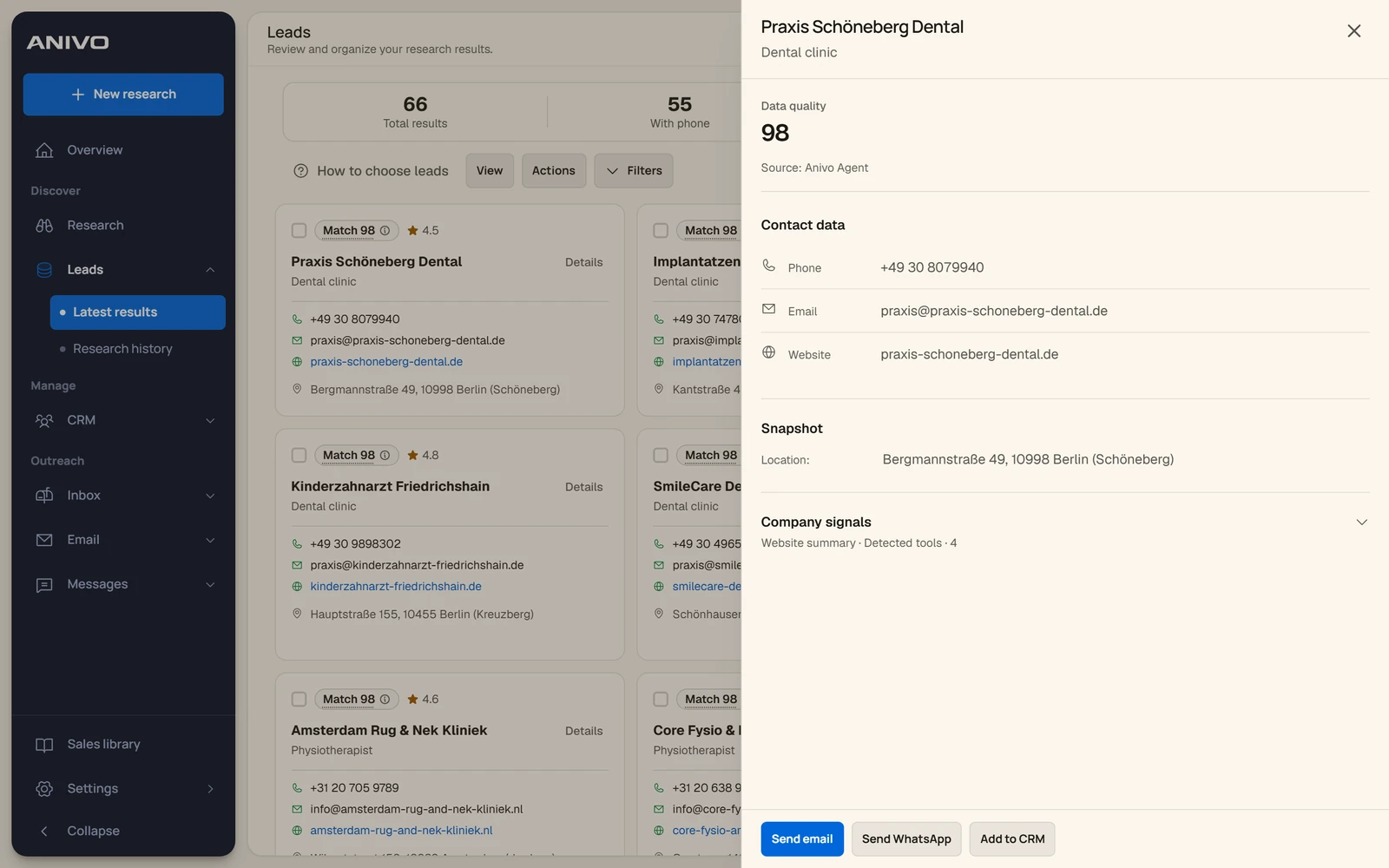
A selected business with its data quality score, location and company signals.
Company detailsA selected business with its data quality score, location and company signals.18 October 2026 · Archive
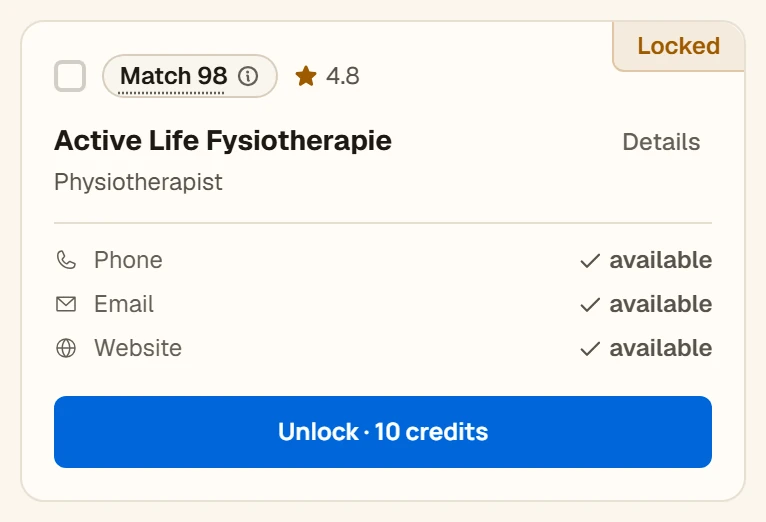
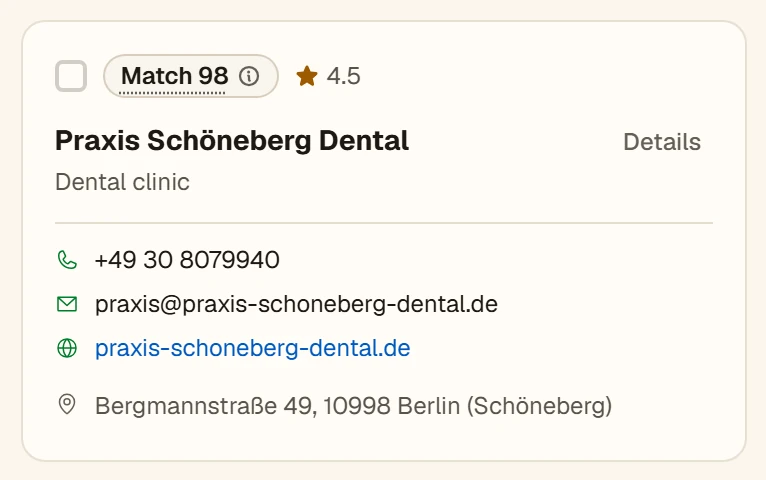
A sample lead card that shows which contact fields are available before unlocking.
Locked lead cardA sample lead card that shows which contact fields are available before unlocking.18 October 2026 · Archive
A close-up of a sample lead card with its match score and contact fields.
Unlocked lead cardA close-up of a sample lead card with its match score and contact fields.18 October 2026 · Archive
Lead cards appearing while a demo research run is still in progress.
Incoming research resultsLead cards appearing while a demo research run is still in progress.18 October 2026 · Archive

CRM and sales pipeline

See how Anivo shows company records, sales stages, a calendar and pipeline analysis.

Open collection
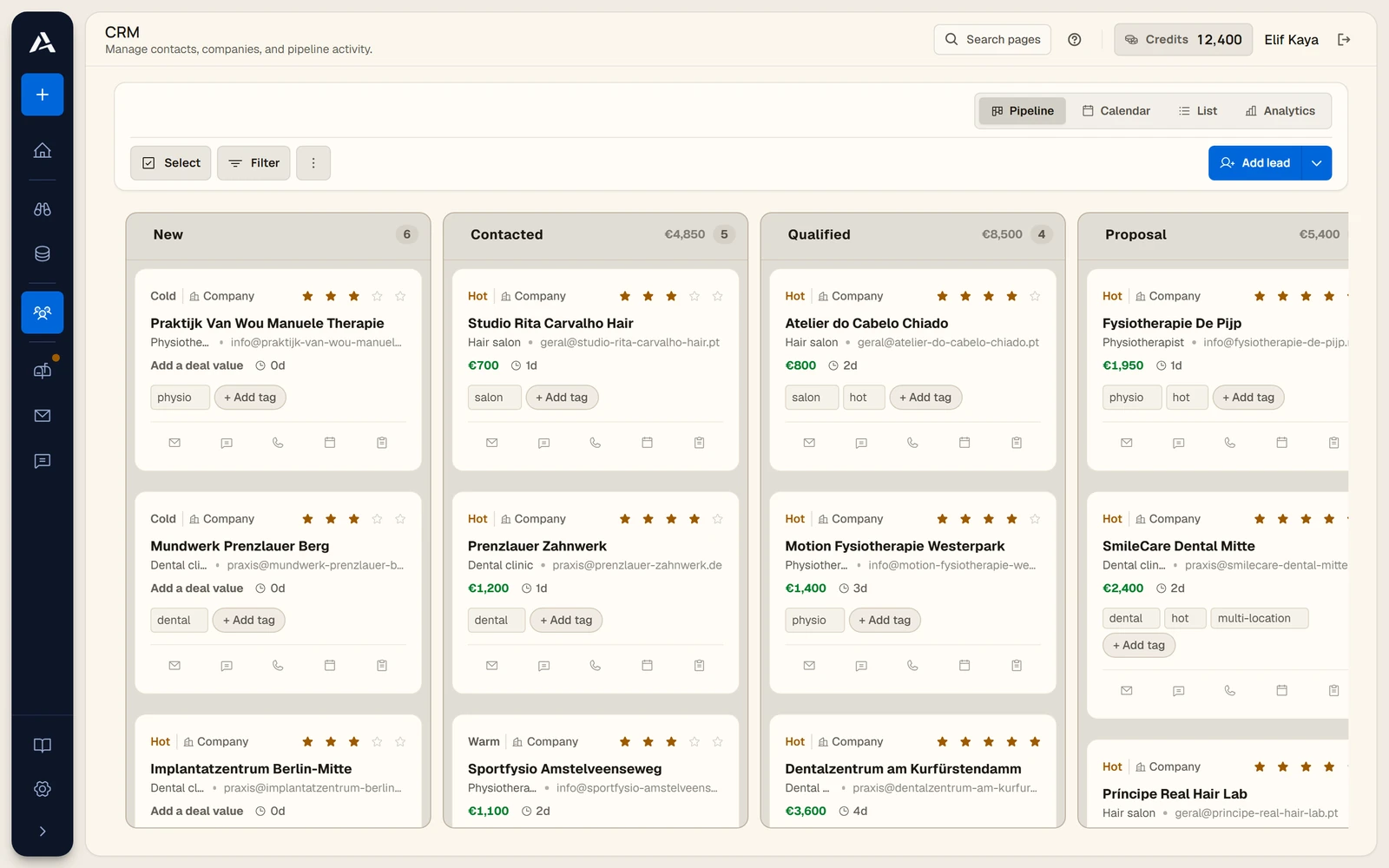
Sample companies arranged in New, Contacted, Qualified and Proposal columns.
CRM pipelineSample companies arranged in New, Contacted, Qualified and Proposal columns.18 October 2026 · Archive
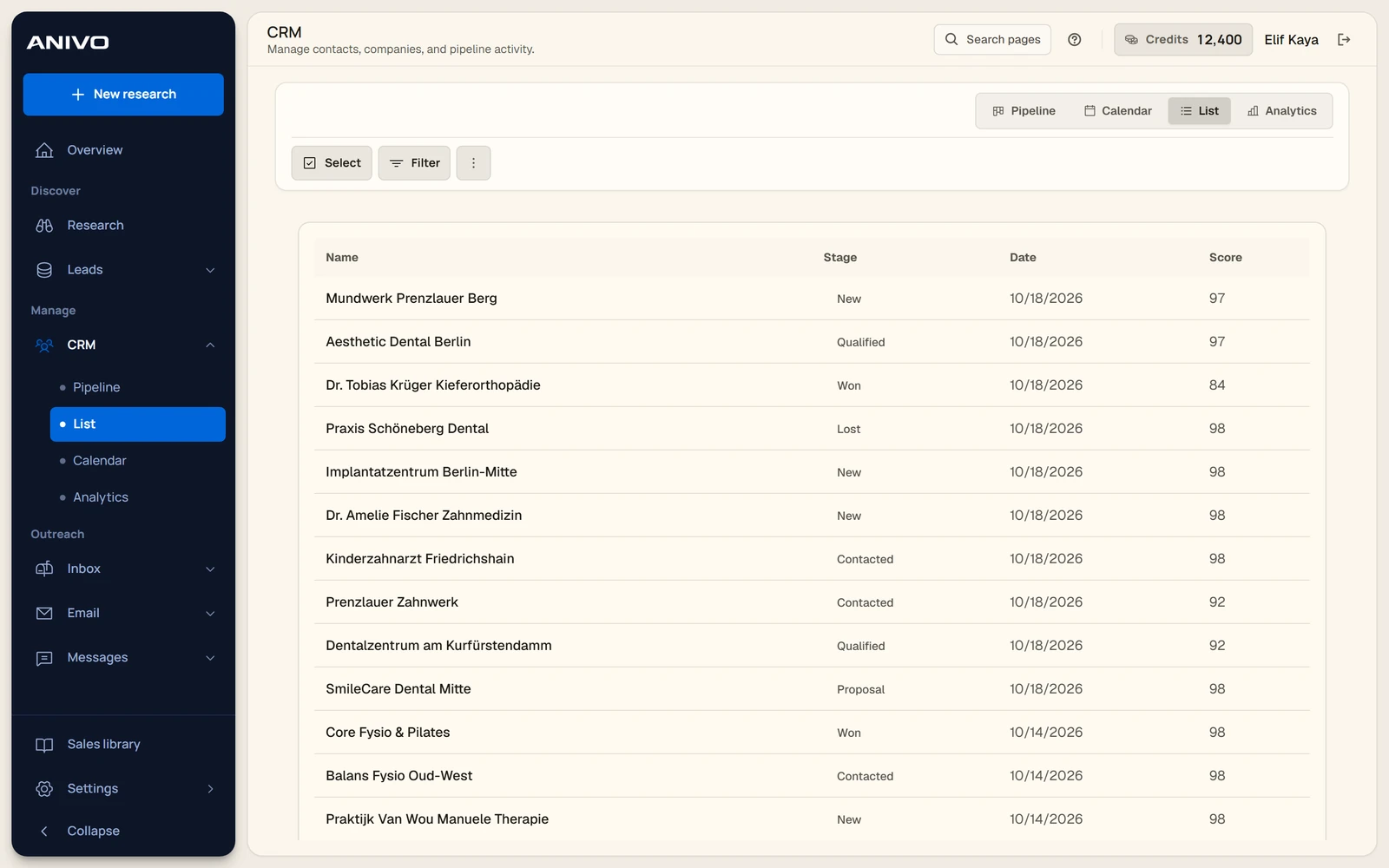
A CRM table showing company names, stages, dates and scores.
CRM list viewA CRM table showing company names, stages, dates and scores.18 October 2026 · Archive
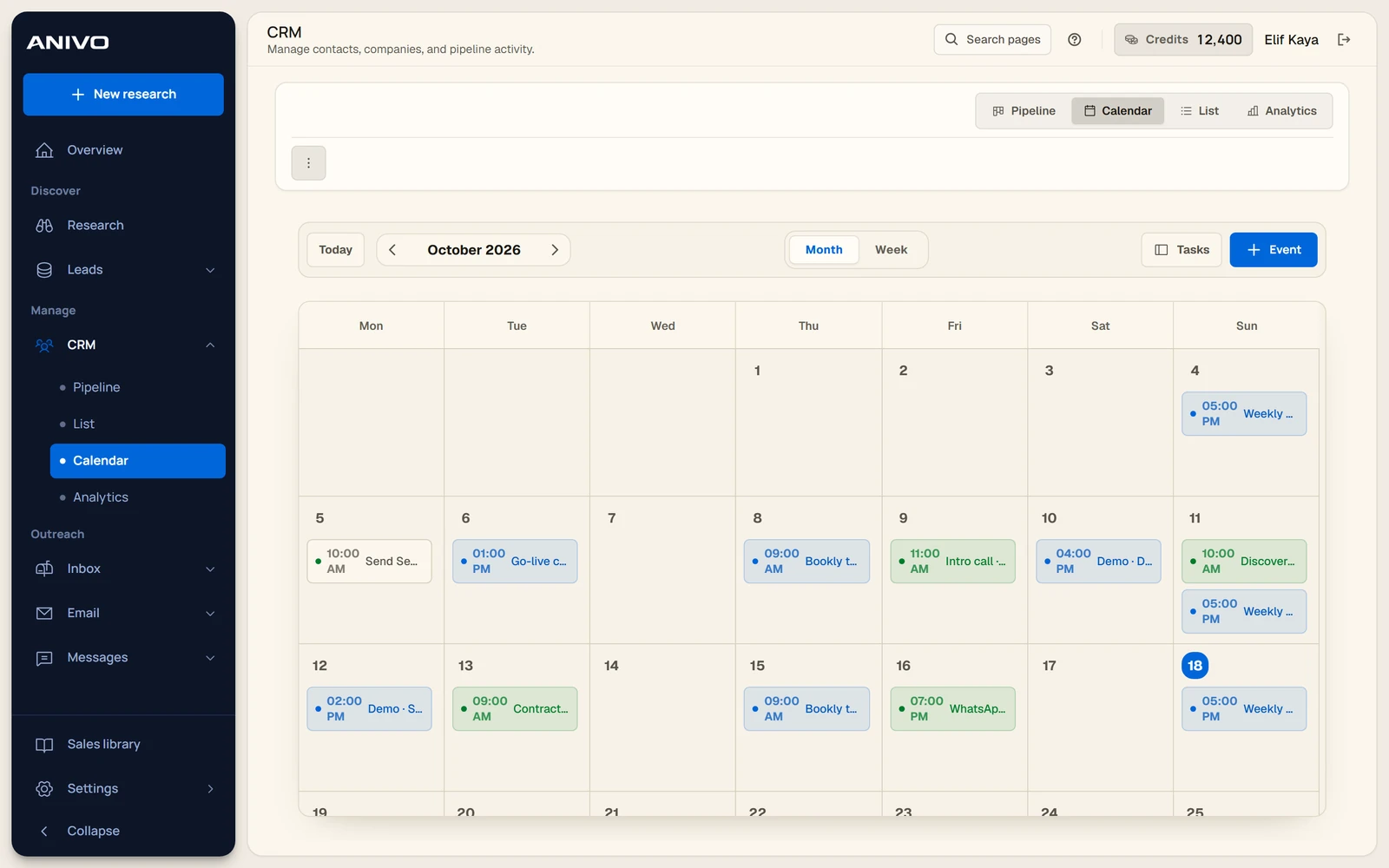
The monthly calendar with sample calls and meetings.
CRM calendarThe monthly calendar with sample calls and meetings.18 October 2026 · Archive
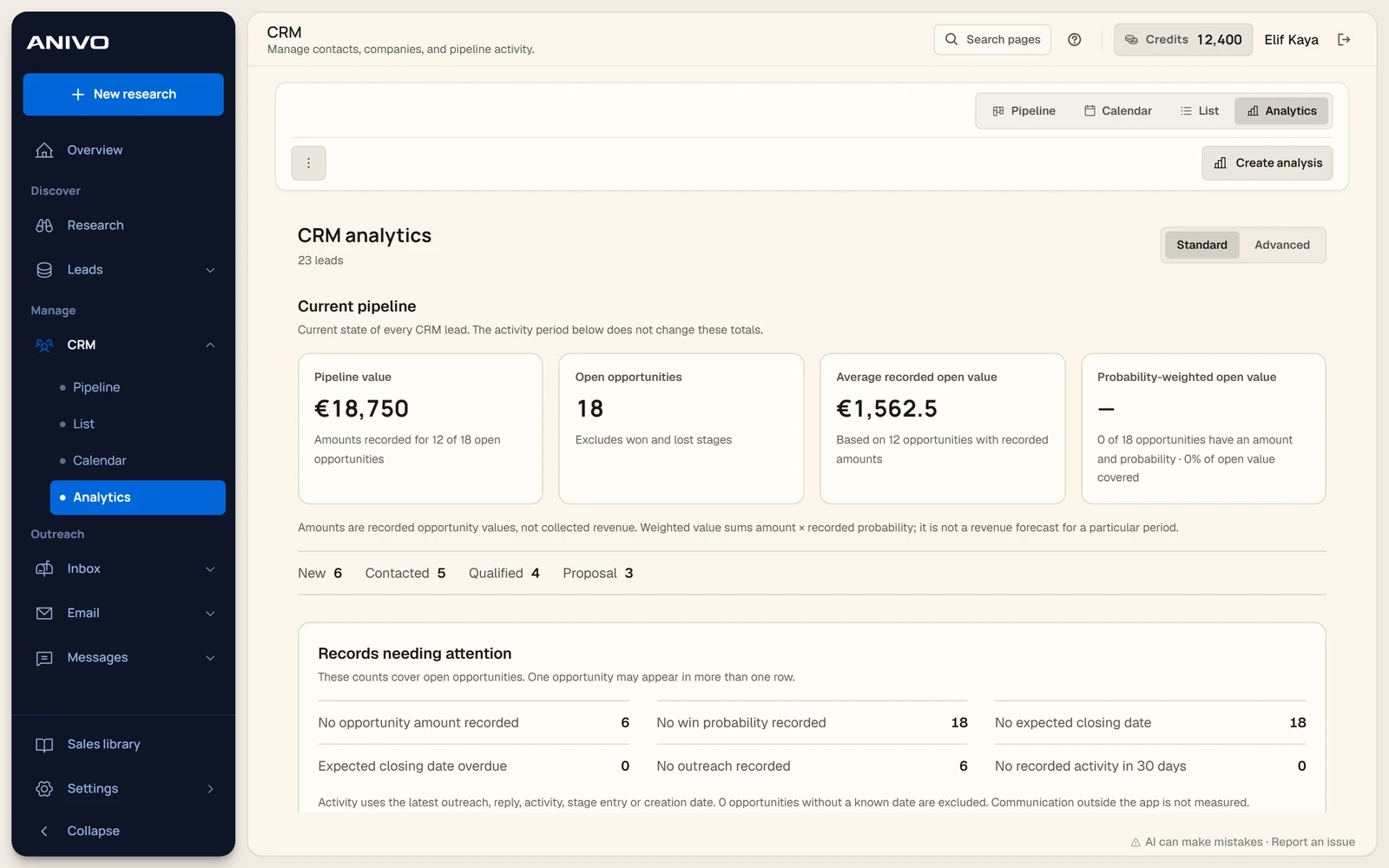
The pipeline summary and sample records that need attention.
CRM analyticsThe pipeline summary and sample records that need attention.18 October 2026 · Archive
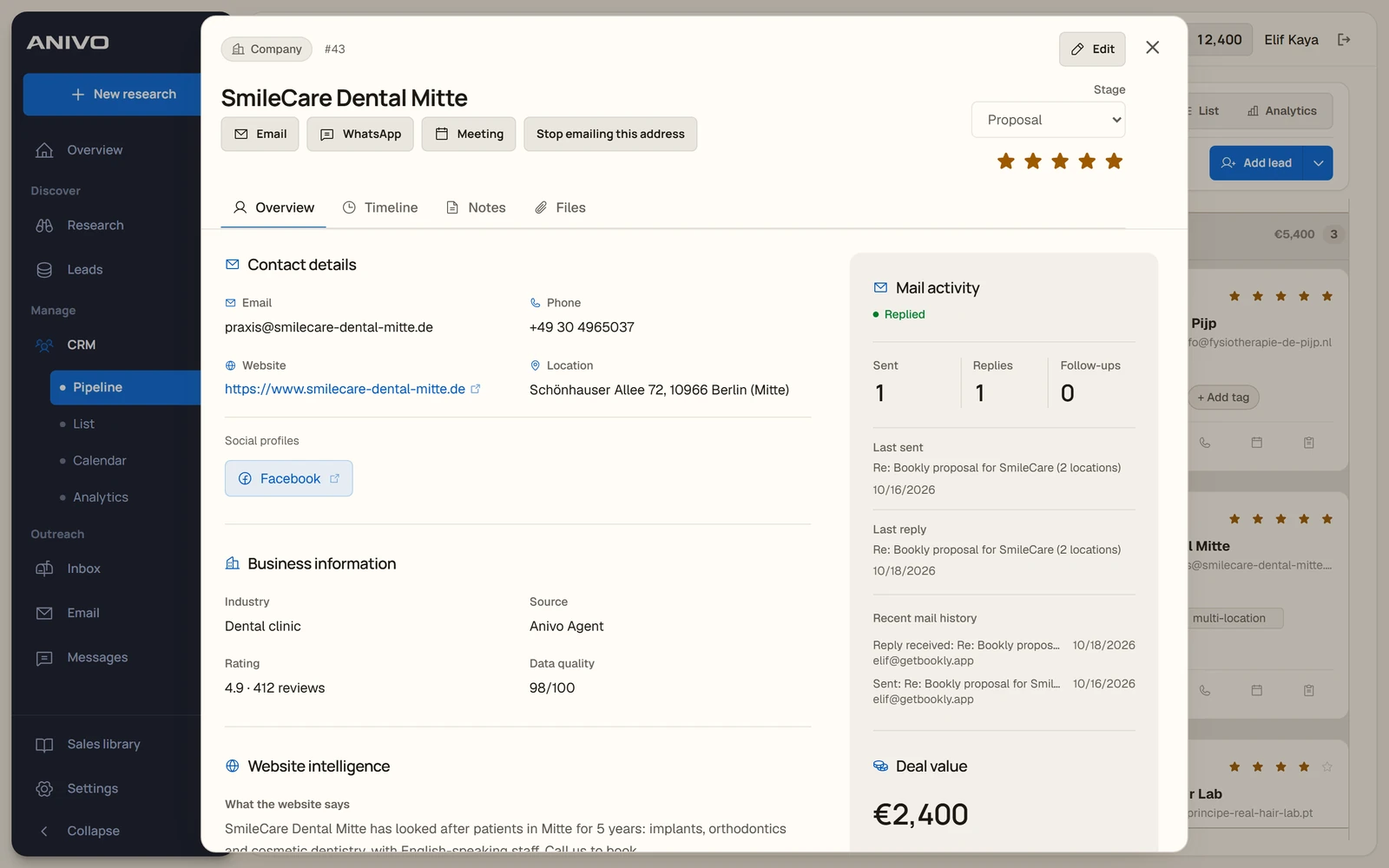
A company record with its sales stage, activity and notes tabs.
CRM company recordA company record with its sales stage, activity and notes tabs.18 October 2026 · Archive
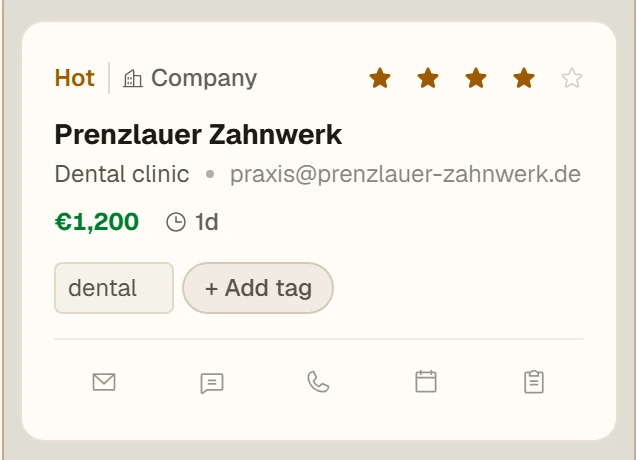
A close-up of a CRM card with priority, deal value, tags and quick actions.
CRM opportunity cardA close-up of a CRM card with priority, deal value, tags and quick actions.18 October 2026 · Archive

Email campaigns

See the screens for selecting recipients, editing personalized drafts and checking a campaign’s status.

Open collection
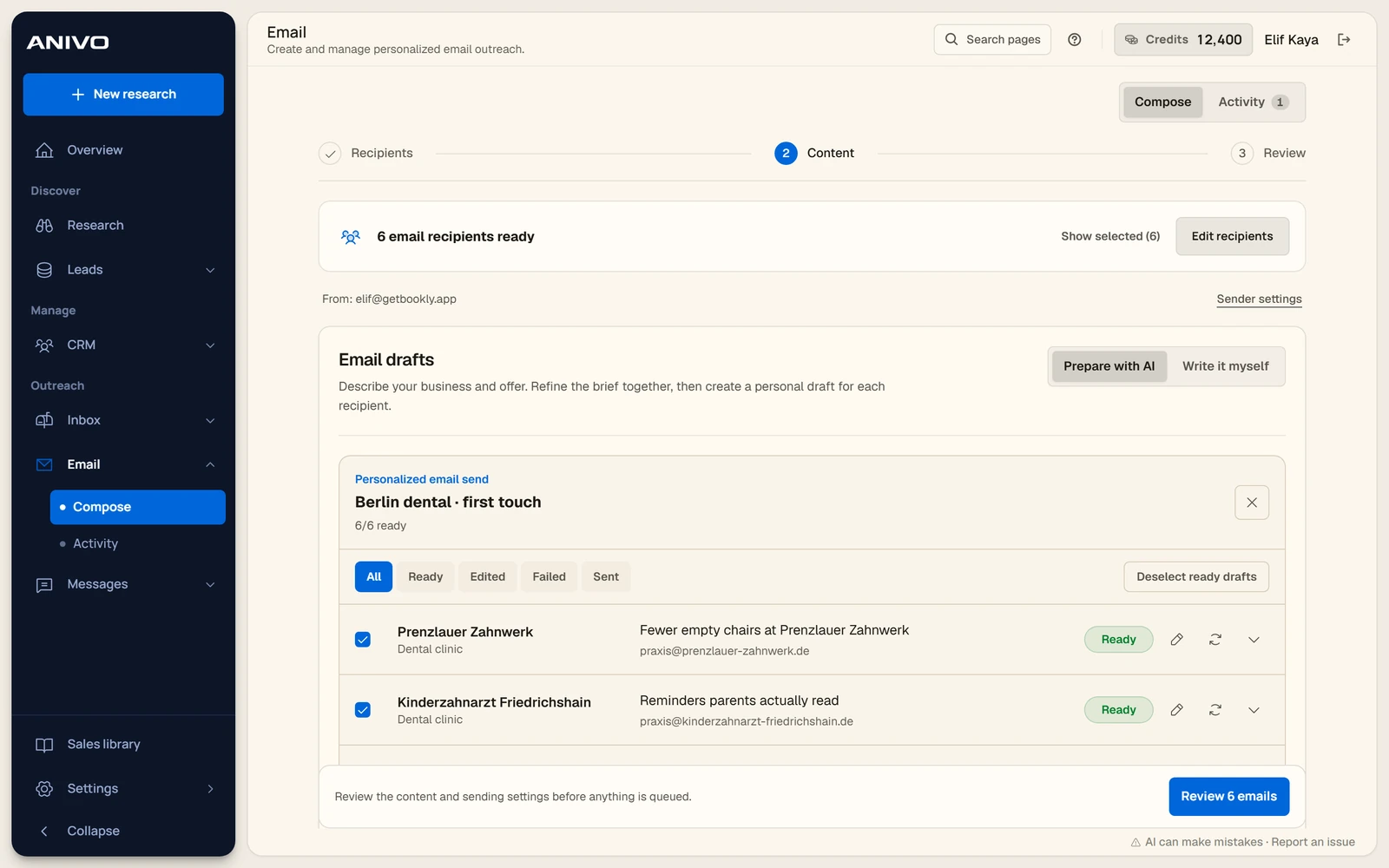
The campaign composer with selected recipients and draft options.
Email campaign setupThe campaign composer with selected recipients and draft options.18 October 2026 · Archive
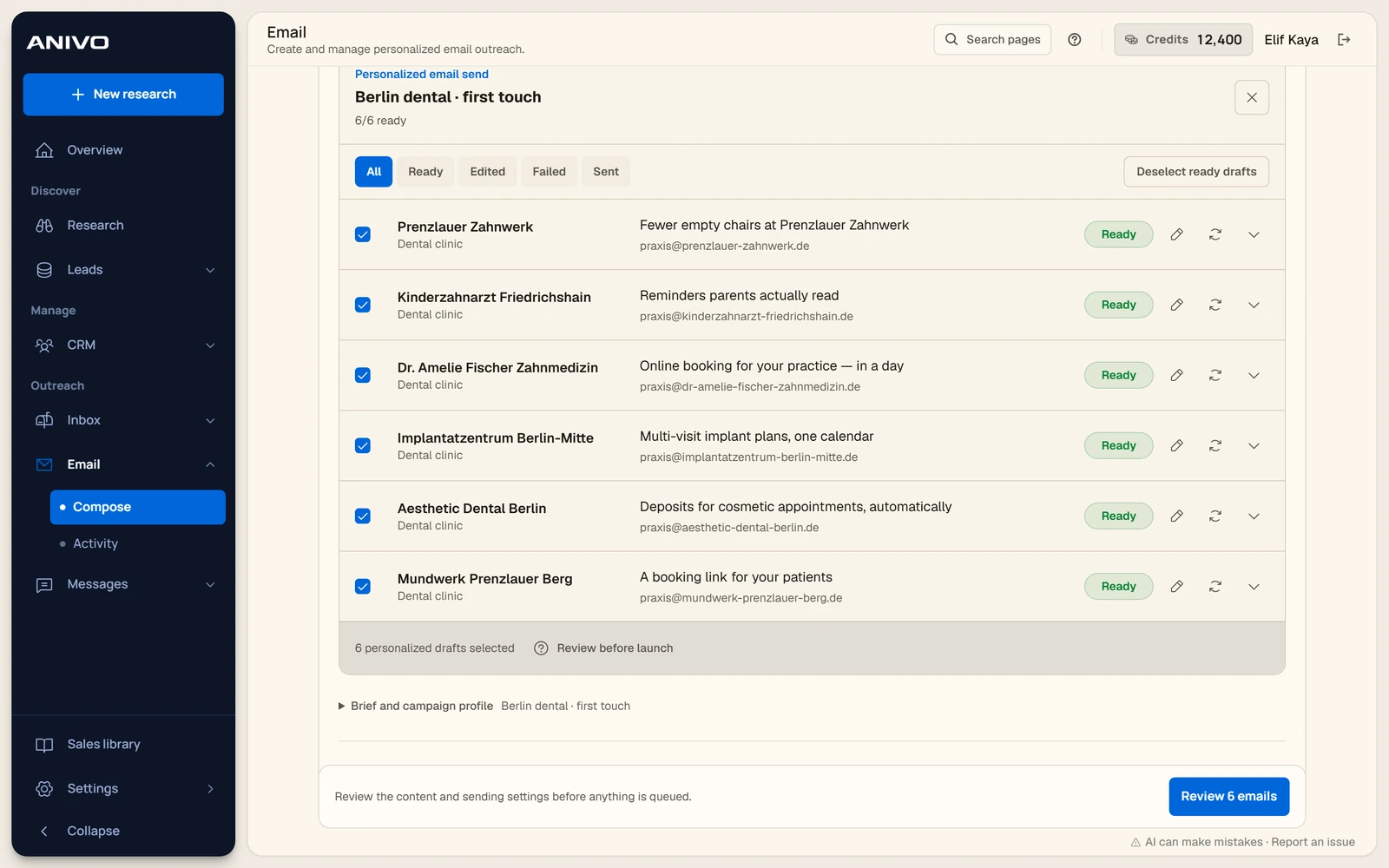
A list of unsent demo drafts with subjects and review controls for each recipient.
Personalized email draftsA list of unsent demo drafts with subjects and review controls for each recipient.18 October 2026 · Archive
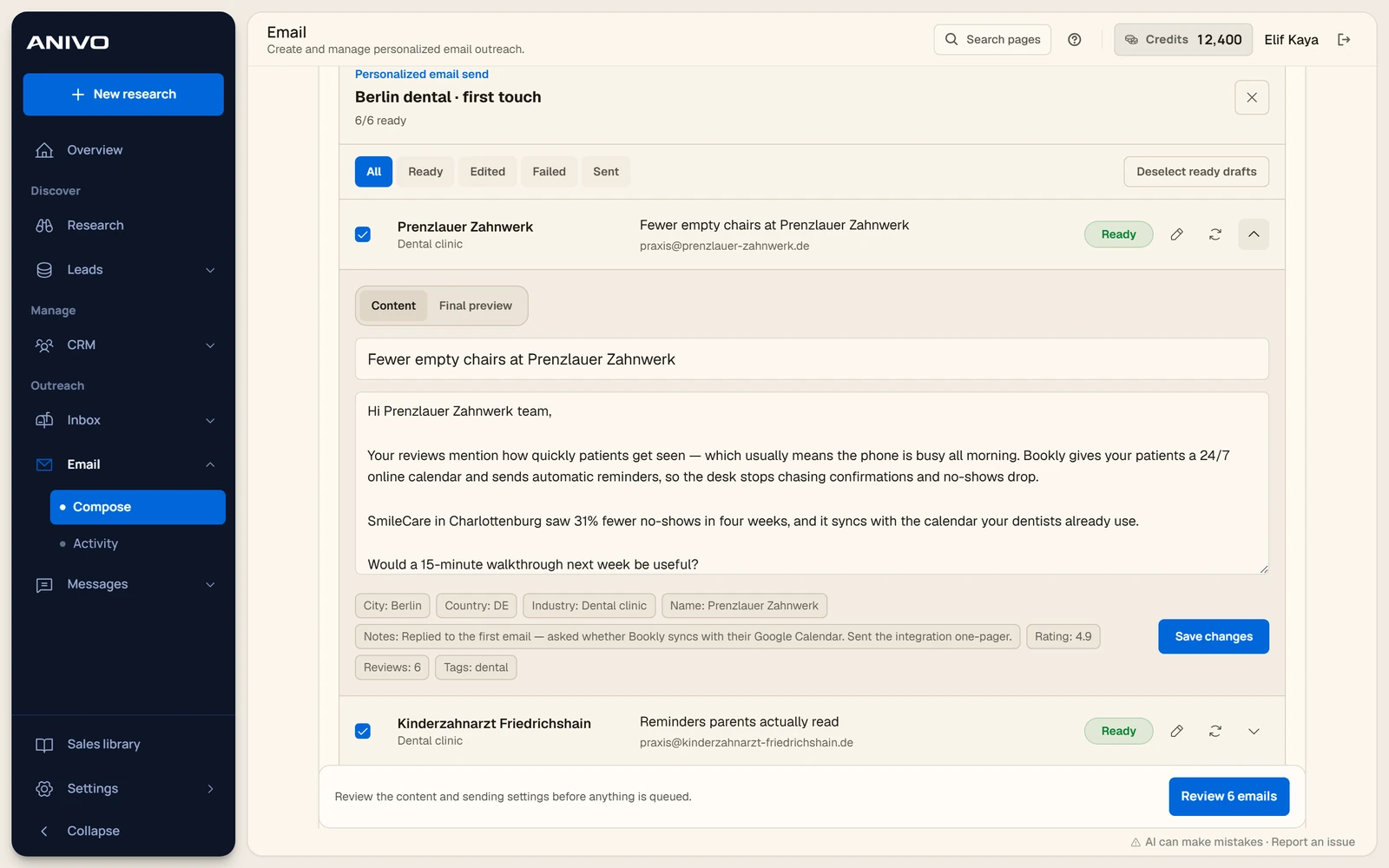
An open, unsent demo draft showing the subject, message and company context.
Email draft editorAn open, unsent demo draft showing the subject, message and company context.18 October 2026 · Archive
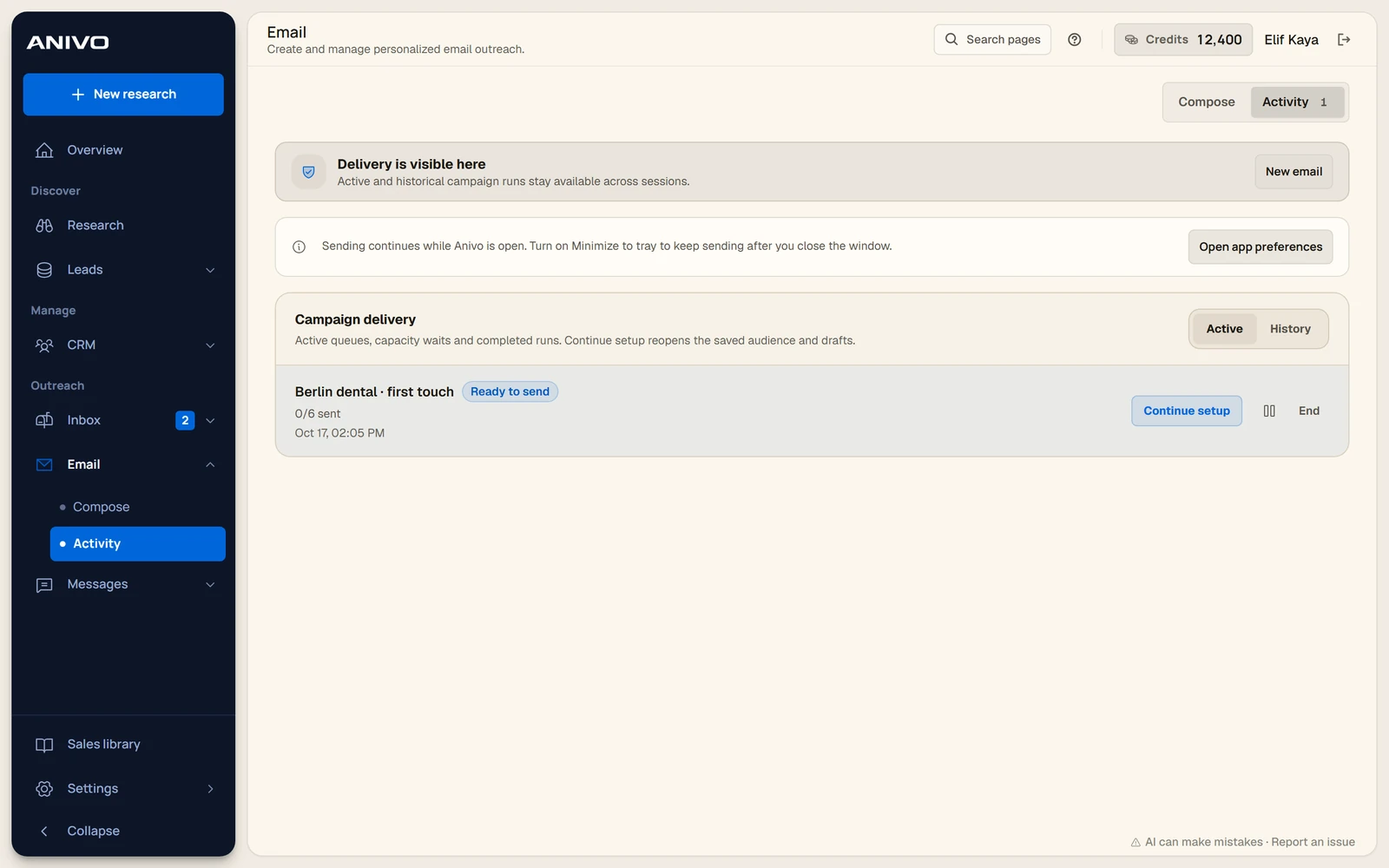
The activity view with a sample campaign waiting for review and sending.
Campaign activityThe activity view with a sample campaign waiting for review and sending.18 October 2026 · Archive

Inbox and follow-ups

Open a sample reply, find the linked CRM record and review the follow-up queue.

Open collection
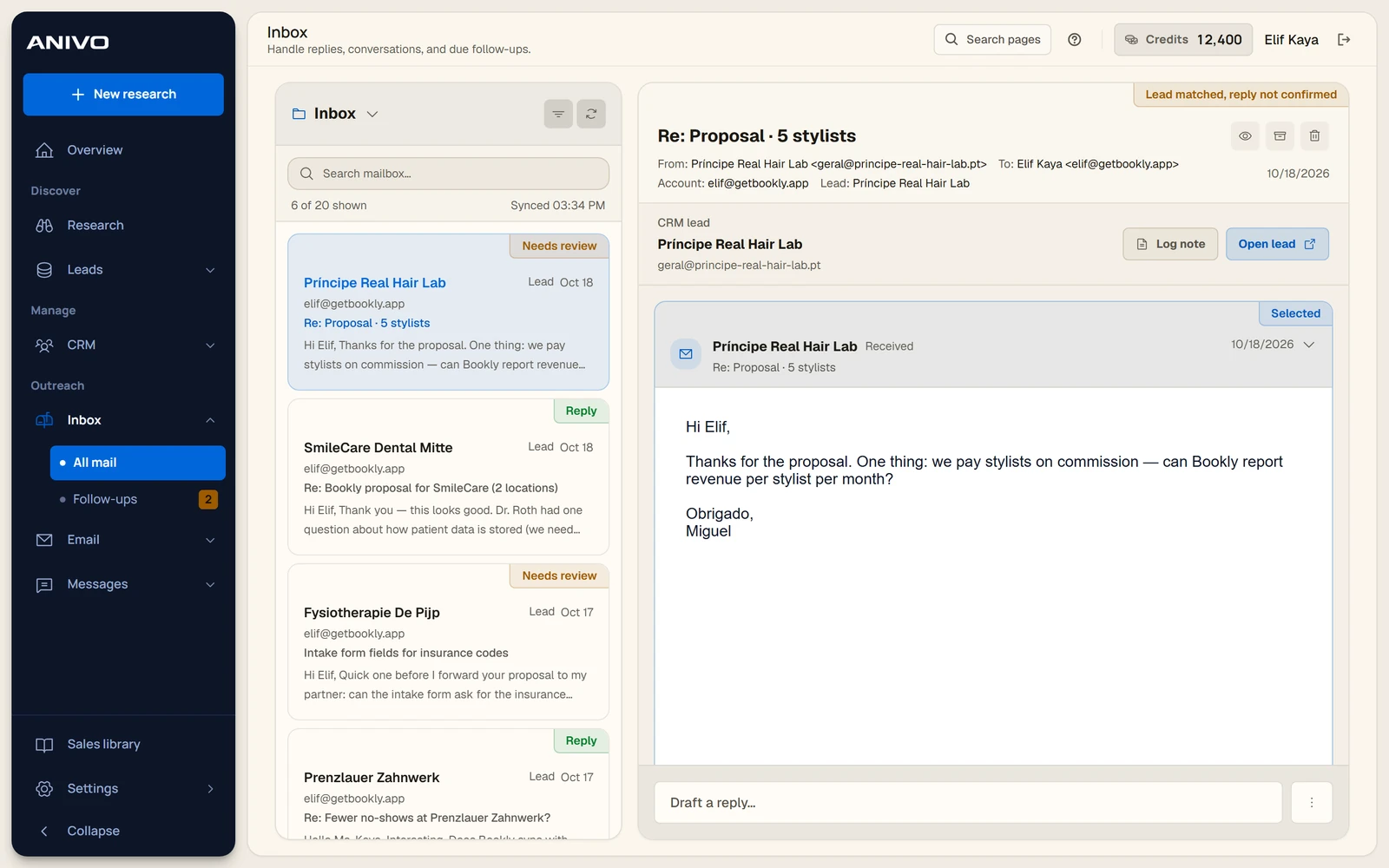
The Anivo inbox with a sample message linked to a CRM company record.
Email inboxThe Anivo inbox with a sample message linked to a CRM company record.18 October 2026 · Archive
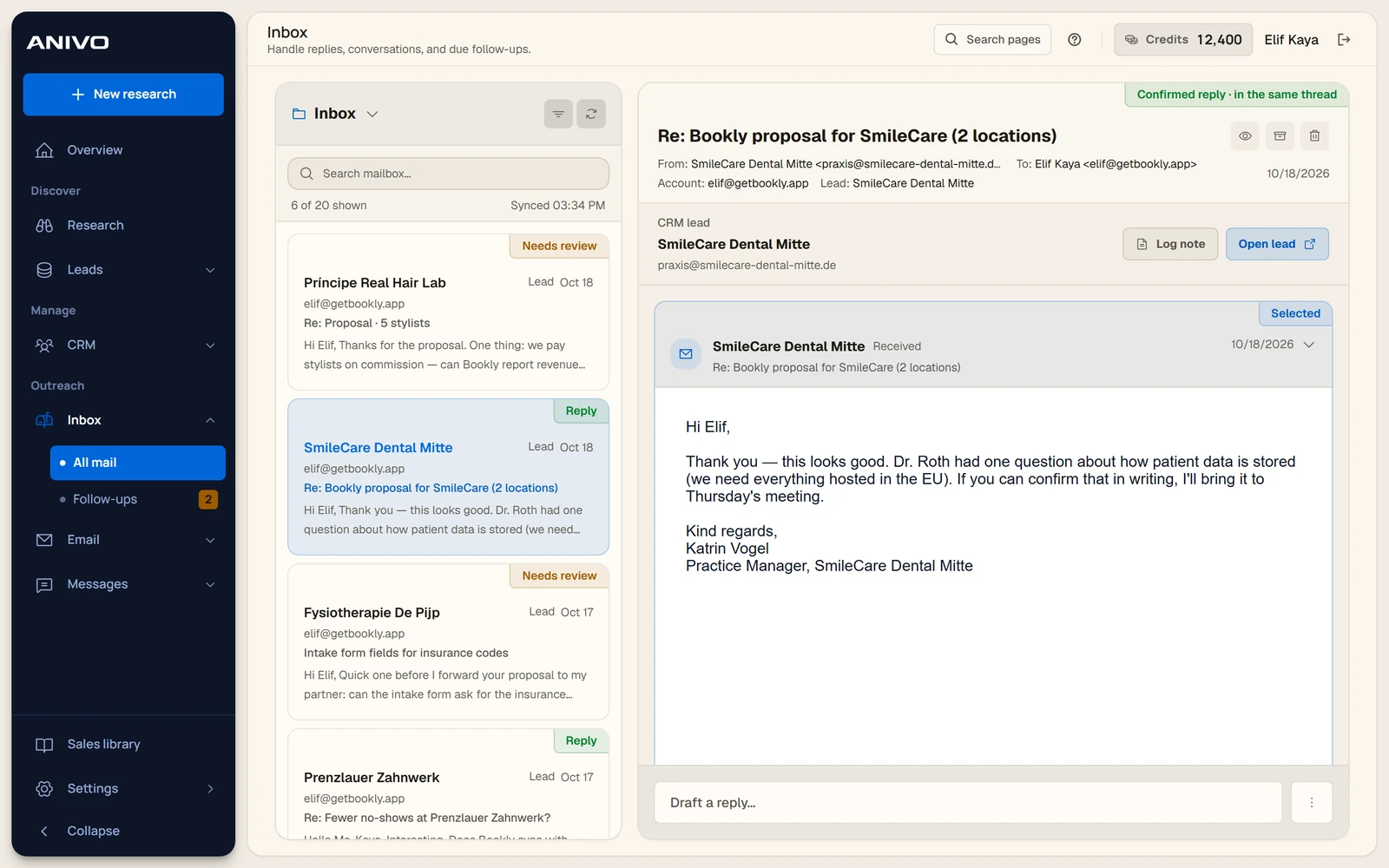
A fictional email reply in a conversation linked to the lead record.
Reply threadA fictional email reply in a conversation linked to the lead record.18 October 2026 · Archive
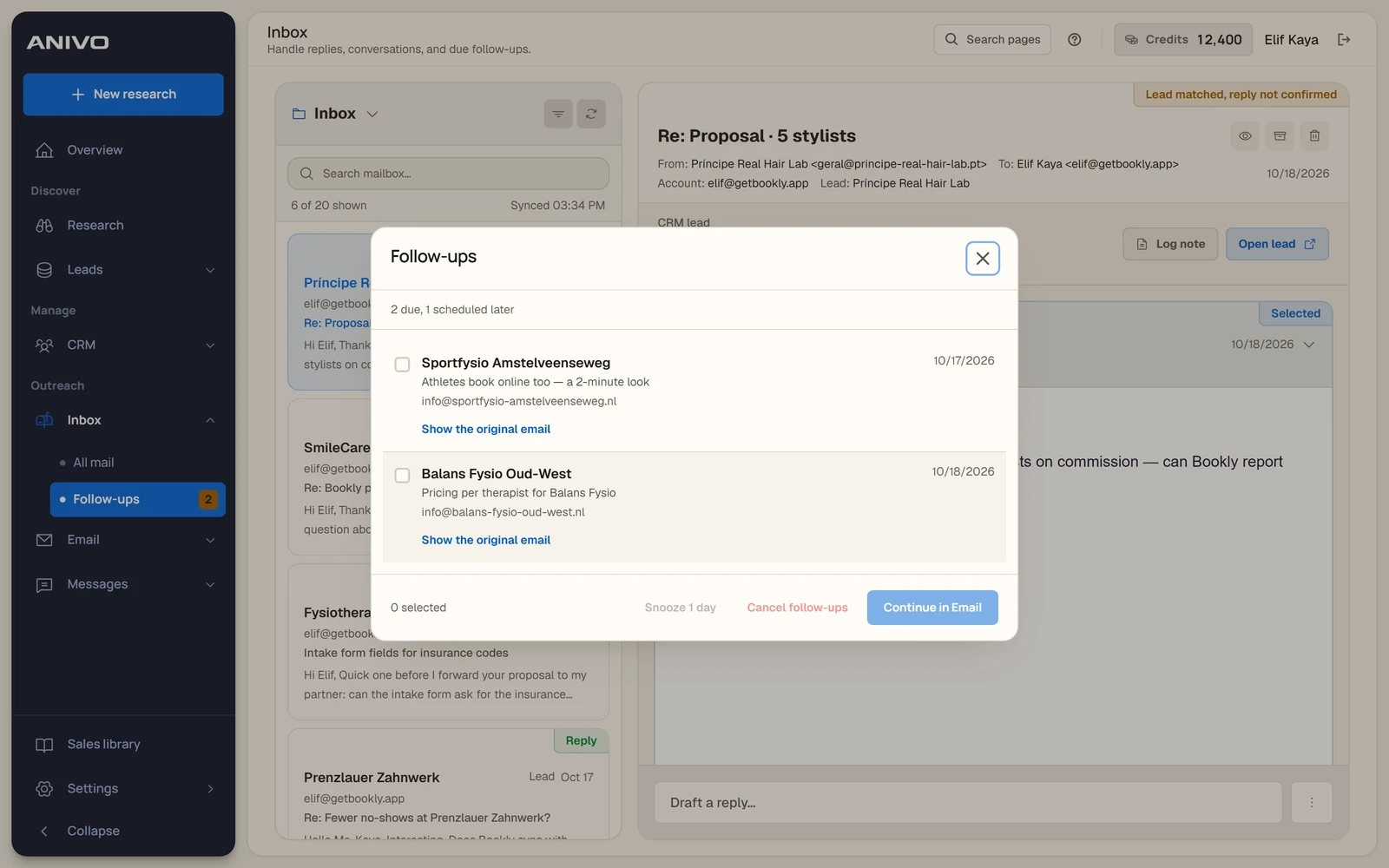
The follow-up panel showing due items and the option to snooze them.
Follow-up queueThe follow-up panel showing due items and the option to snooze them.18 October 2026 · Archive

Windows workspace

Take a look at the activity dashboard, app preferences and saved business context.

Open collection
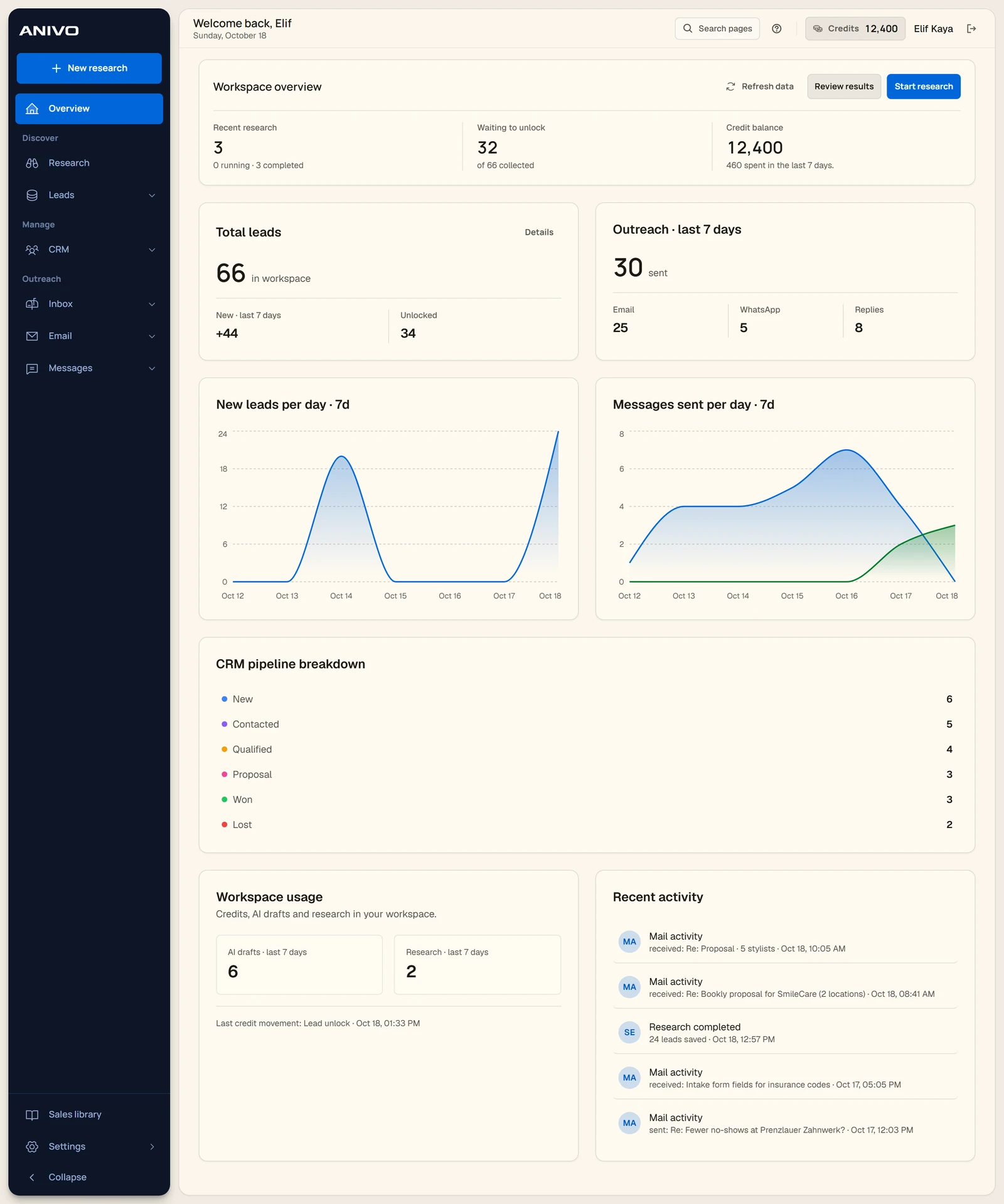
The Windows workspace dashboard with research, CRM and outreach activity from the demo.
Workspace dashboardThe Windows workspace dashboard with research, CRM and outreach activity from the demo.18 October 2026 · Archive
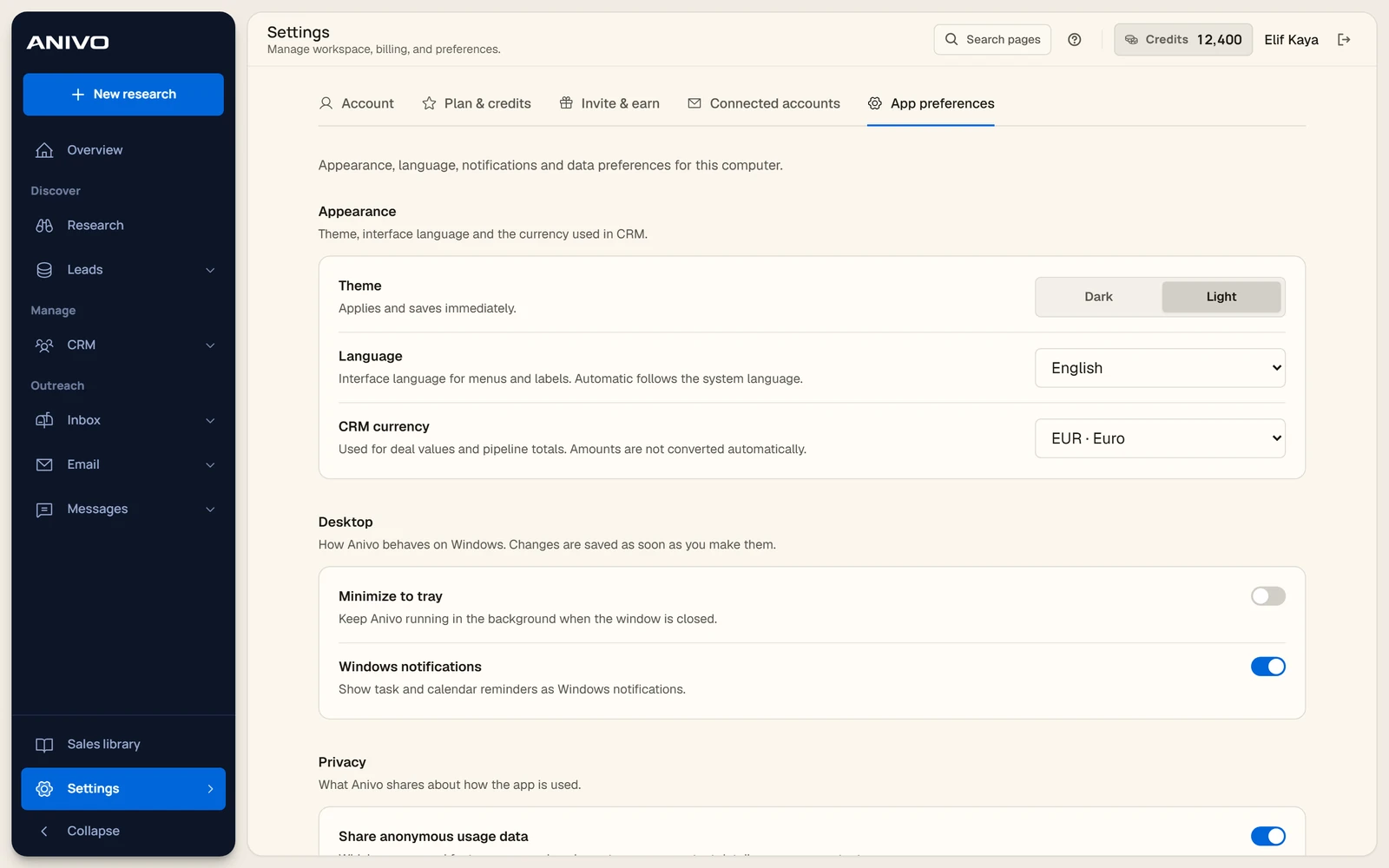
Theme, language and desktop notification preferences in Anivo.
Windows app preferencesTheme, language and desktop notification preferences in Anivo.18 October 2026 · Archive
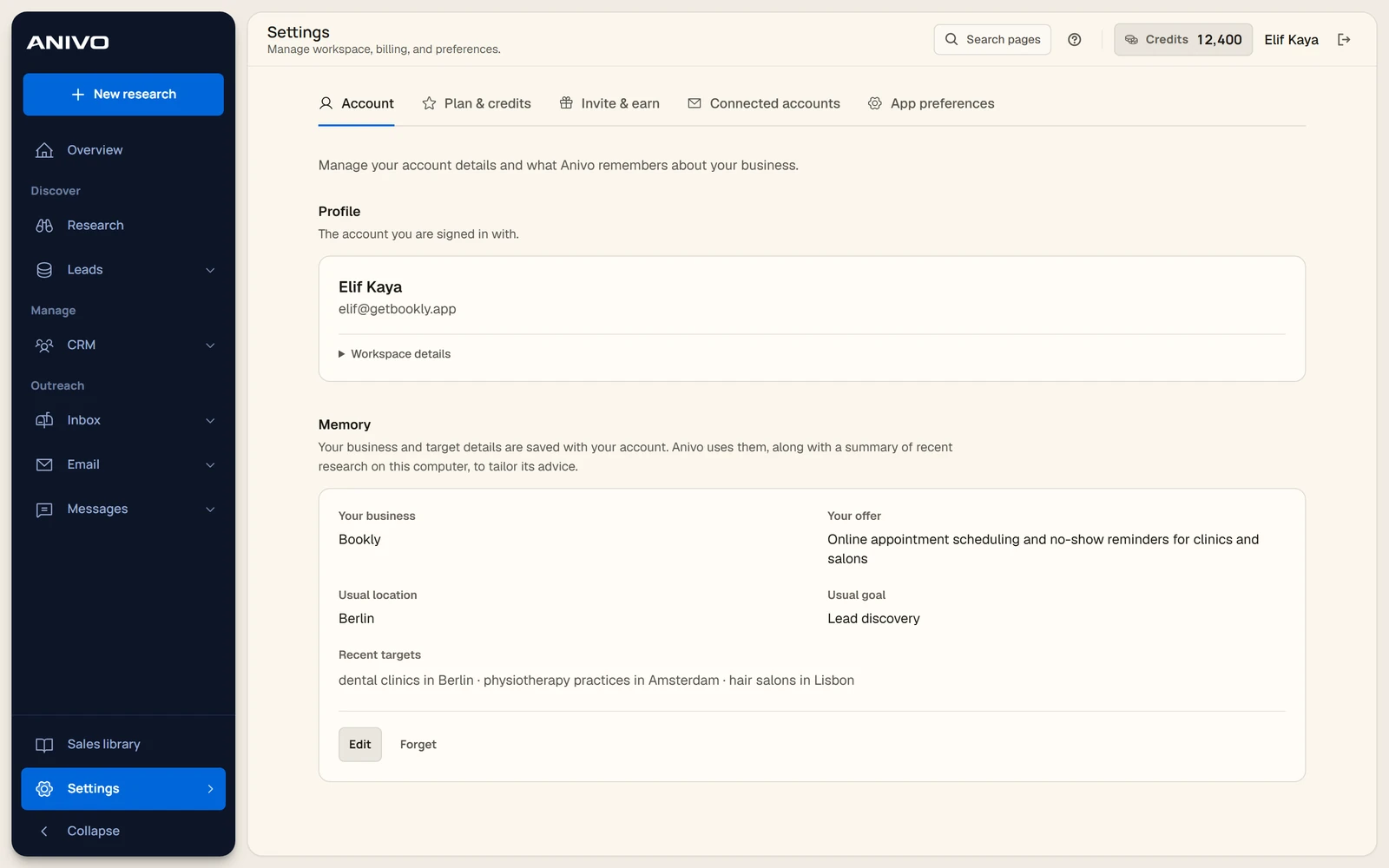
Anivo’s saved business context for the demo offer, usual market and recent targets.
Business memoryAnivo’s saved business context for the demo offer, usual market and recent targets.18 October 2026 · Archive
Anivo user guide
Anivo

Find businesses. Understand the opportunity. Reach out.

Anivo

  • Product
  • Who it’s for
  • Pricing
  • Founder
  • Support

Product guides

  • How Anivo works
  • Anivo user guide
  • Technical assessment
  • Company scores
  • Screenshot gallery

Sales guides

  • How to find customers
  • Ideal customer profile guide
  • B2B prospecting software
  • Lead generation agency guide
Anivo Technologies LtdRegistered in England and Wales · Company No. 16712009Registered office: 71–75 Shelton Street, Covent Garden, London, WC2H 9JQ
TermsPrivacyBillingRefundsAcceptable use© 2026 Anivo