
Find business customers for your construction equipment rental service.
Choose the equipment category and contractors you serve. Use Anivo to research relevant businesses and prepare a conversation about a buyer-confirmed hire requirement.
1,000 credits + 7 days full accessOn first app sign-in · Once per device · No card required
“Find commercial refurbishment contractors in Birmingham. We hire access equipment to contractors within our delivery area. Review their services and company locations.”
Contractors to review, with service notes and questions about hire responsibility, planned jobs and equipment requirements.
For equipment hire companies supplying contractors, with a defined fleet category and their own suitability, availability and booking process.
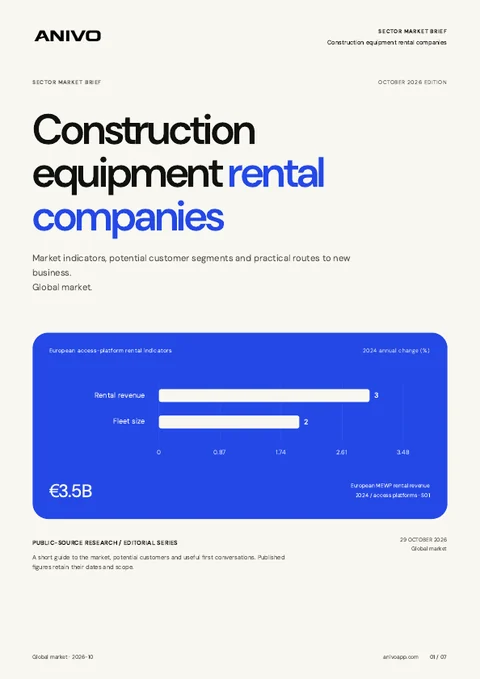
Global edition · October 2026
Get your sector’s market report.
Source-backed market indicators, potential customer segments and practical routes to new business.
Confirm the job before suggesting equipment.
A commercial refurbishment contractor may be relevant to your access equipment fleet. Its service page does not establish a current site or hire requirement. Keep contractor research and replies together while you qualify the actual enquiry.
Broad contractor lists include work outside your fleet and delivery scope.
Project photos do not establish an active job, equipment specification or hire dates.
Site requirements and delivery details get lost before availability is checked.
Confirm the job requirements before checking availability.
A practical workflow for construction equipment rental companies.
Define the fleet category and market
Describe your equipment range, contractor type and delivery area. Review Anivo’s research plan before starting.
Review the contractor’s services
Check its work descriptions yourself. Record why the company fits your market and keep live jobs as questions.
Find the hire buyer
Ask who arranges equipment and whether hire is being considered. Save the answer and next action in CRM.
Prepare a hire-specific introduction
Draft a relevant message. Confirm the task, site requirements, dates and delivery access through your own assessment before checking availability.

A commercial refurbishment contractor
In this fictional example, you hire access equipment to contractors. A Birmingham refurbishment company works in a service category relevant to your market.
Why review this prospect?
- The contractor describes commercial refurbishment work relevant to your hire market.
- Its company location is within your client area; the job site still needs confirmation.
- Your access equipment range gives the hire buyer a clear service to consider.
What to verifyConfirm an actual hire requirement, the buyer and the job location. Establish the task, site conditions, equipment requirements, dates and delivery arrangements through your own suitability process. Service descriptions do not establish a live job or suitable machine.
A clearer way to work the market.
Anivo keeps the reason for choosing a business connected to the next action you take.
Contractors relevant to your fleet
Review the work category before adding a business to your shortlist.
Availability checks against a real hire brief
Keep confirmed task, date and delivery requirements ready for your team.
Enquiries carried through to the next step
Record the hire buyer, replies and agreed actions beside the company.
Use the parts that support the job.
- Research Agent
- Business research
- Qualification notes
- CRM
- Email drafts
- Inbox
Before you try the workflow.
Straight answers for construction equipment rental companies.
Can Anivo find contractors hiring equipment for an active job?
Research relevant contractors, then confirm the job and hire requirement directly. A service page or old project photo does not establish current work.
Can I select a machine from project photos?
Confirm the actual task, site conditions and equipment requirements through your own qualified assessment before recommending equipment.
What if the job is outside my delivery area?
Confirm the job location before proposing hire. A contractor’s office address does not establish where equipment is needed.
Does Anivo show fleet availability or book equipment?
Use Anivo for contractor research and sales follow-up. Keep suitability assessment, fleet availability, booking, dispatch and hire records in your existing rental systems.
Continue your research.
Start with one fleet category and one contractor market.
Research relevant contractors, find the hire buyer and confirm the job requirements before proposing equipment.
Continue with Googleor continue with email